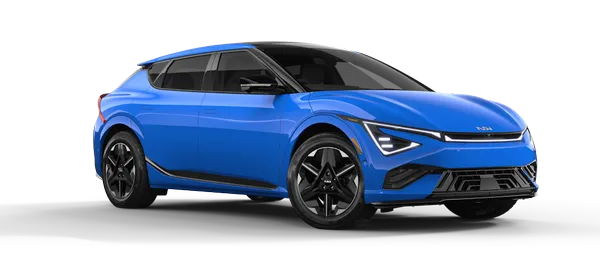
Kia K4: Driver Adjustments / Lighting
Contents:
- Battery saver function
- Headlight delay function
- Daytime running light (DRL)
- Lighting control
- Light switch settings
- High Beam Assist (HBA)
The Kia K4 is meticulously engineered with a sophisticated lighting system, featuring a wide array of high-performance lights designed to illuminate both the interior cabin and the vehicle's exterior, ensuring optimal visibility and style.
CAUTION
To preserve the health of your Kia K4 12V battery and prevent accidental discharge, avoid leaving the headlamps or interior dome lights active for an extended period while the engine is not running.
Battery saver function
Designed for your peace of mind, the battery saver function in the Kia K4 is an automated feature that prevents the battery from draining if you accidentally leave your lights on. The system intelligently shuts off the position lamps automatically once the engine is turned off and the driver’s door is opened.
Please note: If you manually toggle the light switch after the vehicle has been powered down—even with the driver’s door open—the position lamps will remain illuminated.
Should you wish to keep the exterior lights active after exiting your Kia K4 (e.g., for safety in a dark driveway), you must turn the position lamps off and then back on again using the lighting control switch located on the steering column.
Headlight delay function
The Kia K4 headlight delay (often referred to as "Escort" lighting) provides illumination for your path after you reach your destination:
If you power your Kia K4 to OFF or ACC while the headlamps are active, both the headlamps and position lamps will remain lit for approximately 5 minutes.
If the vehicle is powered OFF and the driver’s door is opened and subsequently shut, these lights will automatically extinguish after 15 seconds.
You can manually terminate the delay by pressing the lock button on your remote or smart key twice, or by rotating the light switch to the OFF or AUTO position. Be aware that if the light switch is set to AUTO and ambient lighting conditions are dark, the headlamps may remain active due to the automatic sensing feature.
This functionality can be customized through the Settings menu on the Kia K4 infotainment touchscreen. For vehicles equipped with advanced navigation packages, consult the separate infotainment manual for deeper integration settings.
TIP
The battery saver and automatic headlight delay features are primarily triggered by the driver’s door sensors. If you exit the Kia K4 using any passenger door instead, these functions may not engage, which could lead to a 12V battery discharge.
To ensure your battery remains charged, always double-check that your headlamps are manually set to OFF via the lighting switch before leaving the vehicle.
Daytime running light (DRL)
The Kia K4 features integrated Daytime Running Lights (DRL) designed to enhance your vehicle's conspicuity, making it significantly easier for oncoming traffic and pedestrians to notice the front of your car during daylight hours.
The DRL system is particularly advantageous during variable lighting conditions, such as the periods just after dawn and just before sunset, when visibility is transitional.
To comply with safety standards and operational logic, the Kia K4 DRL lamps will turn off under the following conditions:
The light switch is set to AUTO and the main headlamps and taillights have been activated by the ambient light sensor.
The vehicle's ignition is in the OFF position.
The electronic parking brake is fully engaged.
The front fog lamps are switched on (if your Kia K4 is equipped with them).
Lighting control
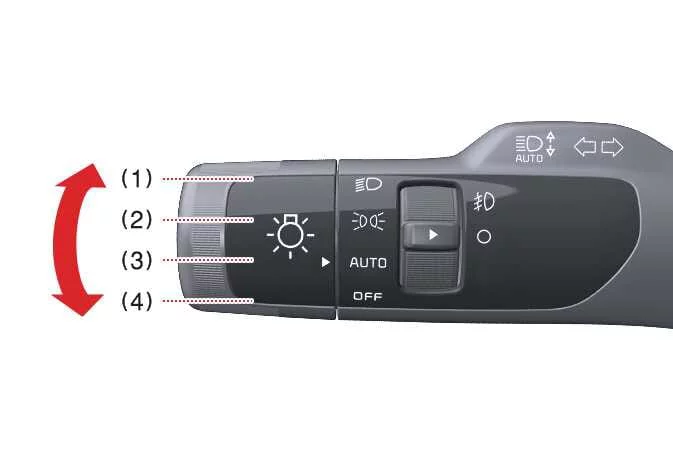
The Kia K4 is equipped with a comprehensive lighting system designed for clarity and safety. You can easily manage the various exterior lights of your Kia K4 by rotating the adjustment knob located at the end of the steering column control lever.
|
|
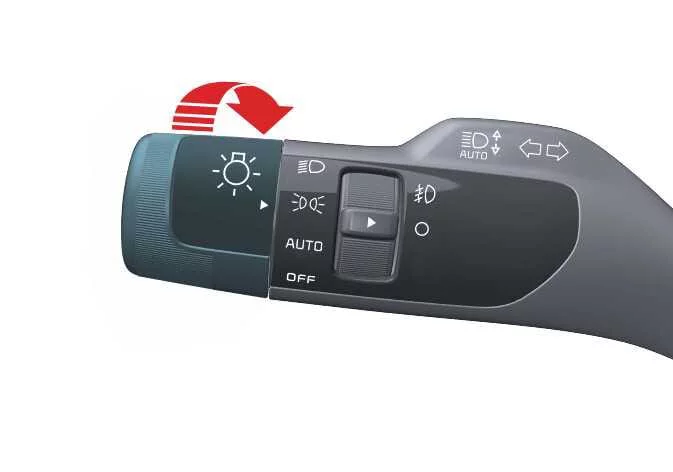
To operate the lighting features of your Kia K4, simply turn the knob on the control lever to the desired setting:
|
When the switch is set to the position lamp mode, the Kia K4 front position lamps, taillights, and license plate lamp illuminate, providing enhanced visibility to other road users.
Headlight (Low Beam)
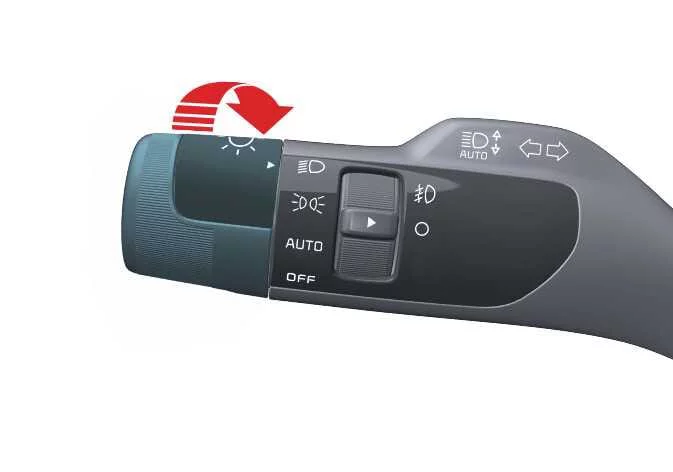
|
Selecting the headlight position activates the Kia K4 low beam headlights, along with the taillights and the license plate lamp for complete visibility.
TIP
For your convenience, the Kia K4 must be in the ON position to successfully activate the headlight functions.
Headlight (High Beam)
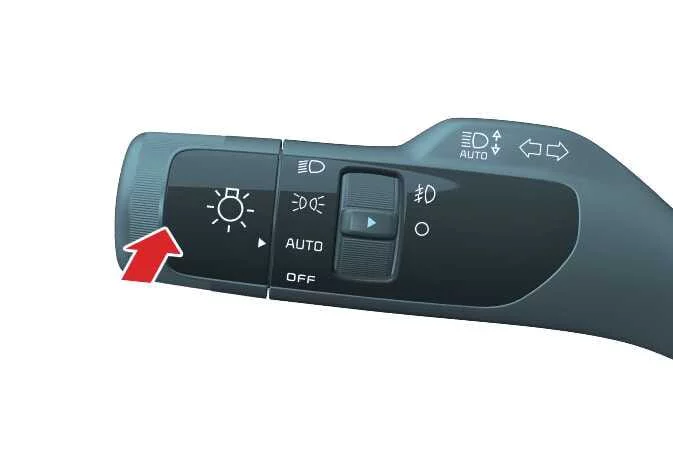
|
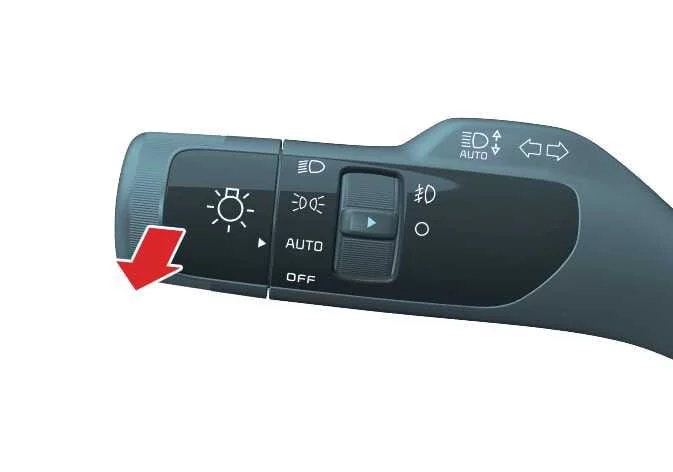
|
-
To engage the high beam headlights, push the control lever away from you. The lever will spring back to its original center position, and the blue high beam indicator will illuminate on your Kia K4 instrument cluster.
-
To flash your high beams, pull the lever toward you and release. The lever will return to the low beam setting automatically. This flash feature is functional even if the main Kia K4 headlight switch is turned to the OFF position.
WARNING
Always exercise caution when using high beams. Do not use high beam headlights when following or approaching other vehicles, as the intense light may obstruct the vision of other drivers and compromise road safety.
Auto light
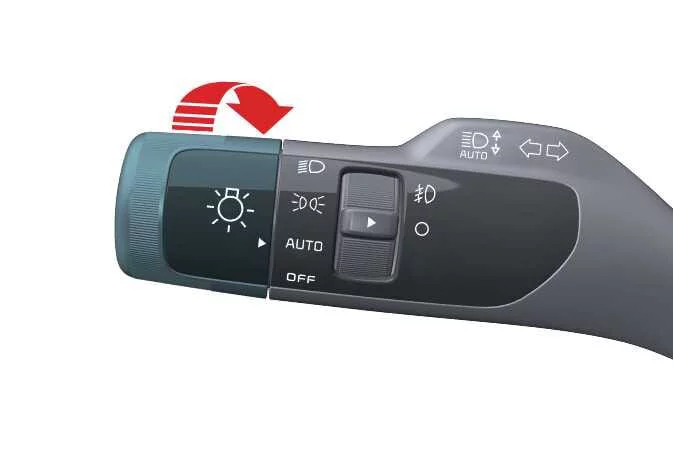
|
When the switch is set to AUTO, your Kia K4 will intelligently manage the headlights and taillights by automatically turning them on or off based on detected ambient light conditions.