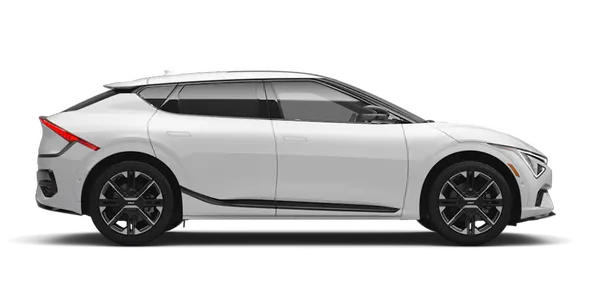
Kia K4: Lighting / Light switch settings
Contents:
| Setting | Result |
|---|---|
 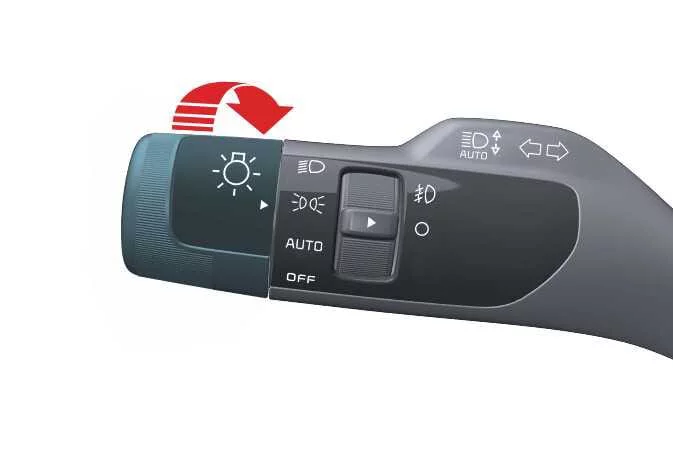
|
Front position lamp, taillights, and license plate lamp are ON. TIP The Kia K4 must be in the ON position to turn on these headlights. |
 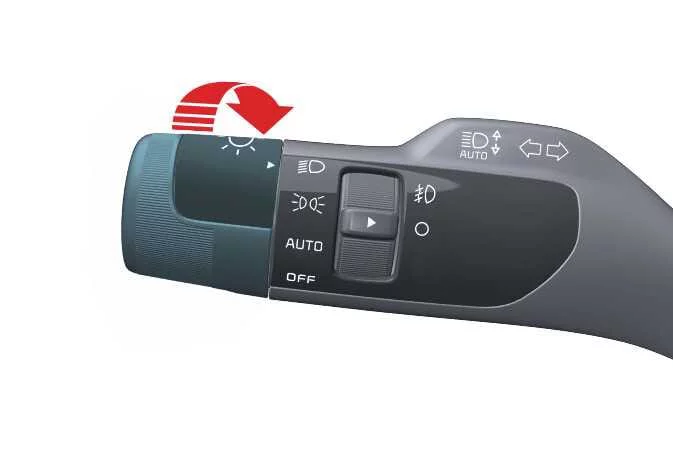
|
Low beam headlight, taillight, and license plate lamp are ON. |
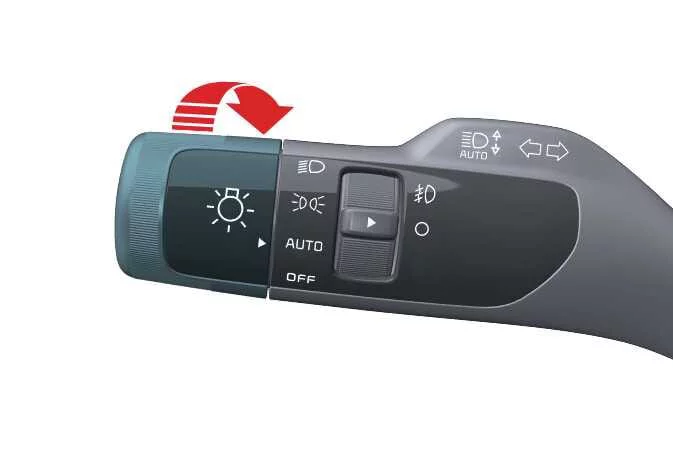
|
Taillights and headlights turn on or off automatically depending on the amount of ambient light. |
NOTE
-
For optimal AUTO light performance in your Kia K4, please ensure no objects are placed over the light sensor (1) located on the dashboard instrument panel.
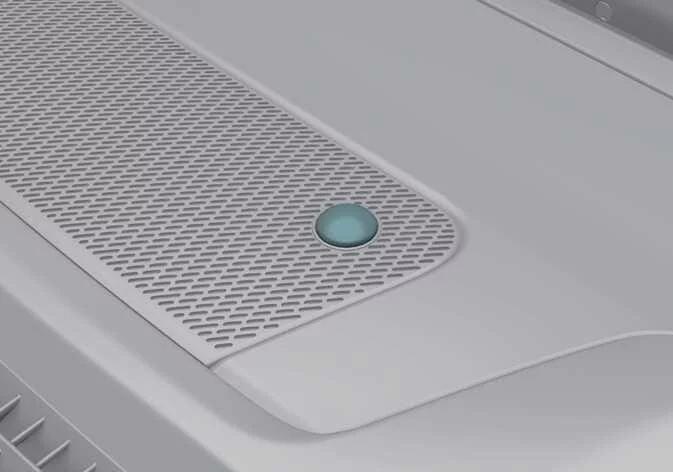
-
Avoid using window cleaners directly on the sensor, as a chemical film can interfere with the light detection accuracy.
-
If your Kia K4 has a dark window tint or metallic windshield coating, the AUTO light system may experience reduced performance.
Turn and lane change signal operation
|
To ensure proper operation of the turn signals, your Kia K4 must be in the ON position. The signaling system is essential for communicating your driving intentions to other road users.
-
To engage a full turn signal, move the lever firmly up or down (position 1).
The green arrow indicators on the Kia K4 instrument cluster will blink, confirming which signal is currently active. These signals are designed to self-cancel once your turn is complete. Should an indicator continue to flash after straightening the steering wheel, simply move the lever manually back to the OFF position.
-
To signal a lane change, gently move the turn signal lever slightly and hold it in place (position 2).
The lever will automatically return to the neutral OFF position the moment you release it, providing a convenient way to signal short maneuvers in your Kia K4.
If an indicator on the dashboard remains illuminated without flashing, or if it blinks at an irregular rate, this often signifies that one of the external turn signal bulbs may be burned out and requires immediate replacement to maintain safety.
One-touch lane change function
For high-speed driving or highway merging, the Kia K4 offers a one-touch lane change function. By lightly tapping the turn signal lever and releasing it, the signal will automatically blink 3, 5, or 7 times, depending on your customized settings.
You can manage this feature by navigating the Kia K4 infotainment system: select Settings > Vehicle > Lights > One Touch Turn Signal. Here, you can toggle the function on or off and set the preferred blink cycle frequency.
NOTE
If the signal indicator flashes at an abnormally quick or slow rate, it indicates a potential electrical circuit fault or a failed bulb. Inspect your Kia K4 exterior lights periodically to ensure all signals are functioning correctly.
Front fog light operation
The front fog lights on your Kia K4 are precision-engineered to enhance illumination and visibility during inclement weather conditions, such as dense fog, heavy rain, or falling snow.
|
|
- To activate, ensure your headlamps are turned on, then rotate the dedicated fog light switch (1) to the ON position.
- To turn off the fog lights, rotate the switch (1) back to the OFF position.
NOTE
Fog lights place an increased demand on the electrical system of the Kia K4. For energy efficiency and to prevent glare for other drivers, please utilize these lights only when visibility is significantly reduced.


Other information:
Kia K4 (CL4) 2025-2026 Owner's Manual: Special driving conditions
Navigating through adverse weather or challenging road surfaces requires a heightened level of driver awareness and caution. When road conditions deteriorate, you must adjust your driving habits to ensure the continued safety and stability of your Kia K4. Hazardous driving conditions Whenever you encounter treacherous elements such as standing water, deep snow, ice, thick mud, or loose sand, please adhere to these professional driving suggestions to maintain better control of your Kia K4: Drive with extreme caution and increase your following distance.Kia K4 (CL4) 2025-2026 Owner's Manual: Inside rearview mirror
Adjust the inside rearview mirror so that you can view the entire rear window clearly from your driving position. Ensure this adjustment is finalized before you begin your journey in the Kia K4. To maintain a clear view, avoid placing bulky items, boxes, or passengers in the rear seat or cargo area that could obstruct the rear window visibility. WARNING Mirror adjustment For your safety, never attempt to adjust the rearview mirror while the Kia K4 is in motion.