Kia K4: Driver Adjustments / Instrument cluster
Contents:
- Gauges
- Transmission shift indicator
- Adjusting instrument cluster illumination
- Warning and indicator lights
- LCD display
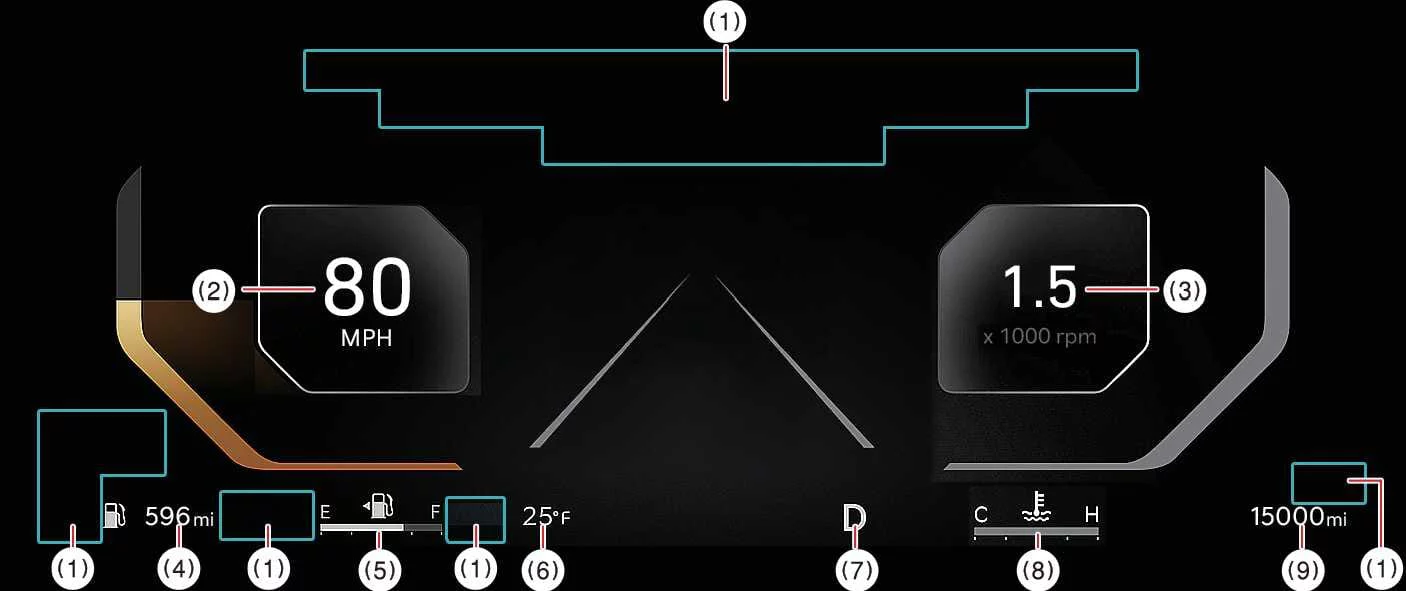
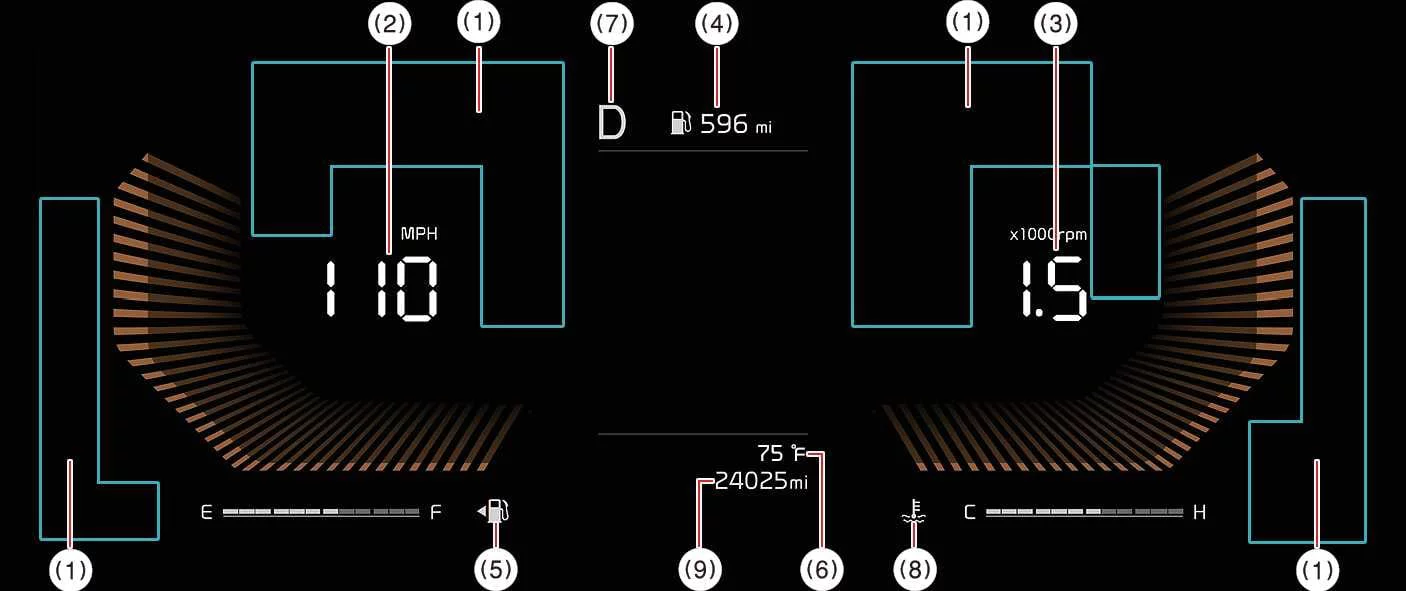
Please be aware that the actual display layout in your specific Kia K4 model may differ slightly from the provided illustrations depending on your vehicle's trim and configuration.
Warning and indicator lights
Speedometer
Tachometer
Distance to empty (Range)
Fuel gauge
Outside temperature gauge
Transmission shift indicator
Engine coolant temperature gauge
Odometer
Gauges ➤
Transmission shift indicator ➤
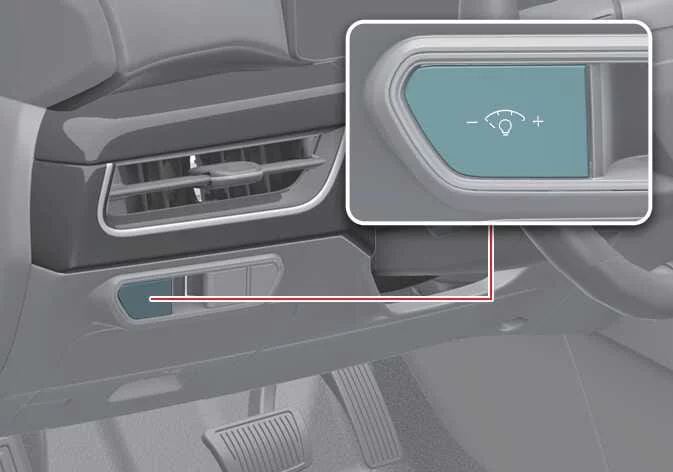
Adjusting instrument cluster illumination
To customize the brightness of the instrument panel illumination in your Kia K4, simply press the illumination control buttons labeled with "+" or "-" symbols. You can perform this adjustment whenever the ignition switch or the ENGINE START/STOP button is positioned in the ON state, or alternatively, whenever the vehicle's tail lights are activated.
|
By tailoring the cluster brightness, you can ensure optimal visibility of your Kia K4 data displays, reducing eye strain during night-time driving while maintaining clarity under bright daylight conditions.
WARNING
For your safety and the safety of others, never attempt to adjust the instrument cluster illumination while the Kia K4 is in motion. Attempting to change vehicle settings while driving can result in a loss of focus, leading to a loss of vehicle control and an accident, which may cause serious injury, fatality, or significant property damage.
Warning and indicator lights ➤
LCD display ➤


Other information:
Kia K4 (CL4) 2025-2026 Owner's Manual: Warning and indicator lights
The comprehensive array of warning and indicator lights integrated into your Kia K4 dashboard is designed to provide immediate, critical feedback regarding your vehicle's status. These illuminated icons inform the driver whether various onboard functions are currently activated, or they act as proactive alerts to situations that require driver attention and caution.Electronic Stability Control (ESC) indicator light The ESC system is a critical safety feature of your Kia K4. This indicator light operates as follows: It illuminates for approximately 3 seconds as a system self-diagnostic check whenever you turn the ENGINE START/STOP button to the ON position. If the light remains illuminated, it indicates a malfunction in the ESC system.