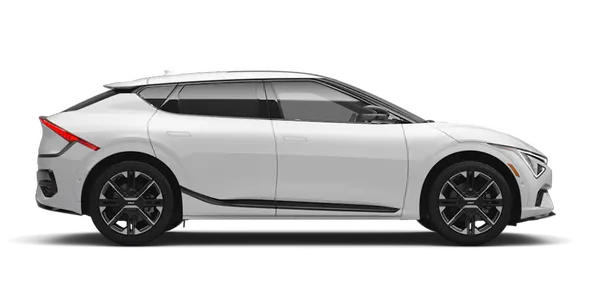
Kia K4: Controls and Features / Infotainment system
Contents:
Over-The-Air (OTA) software update ➤
Audio system ➤
AI Assistant
|
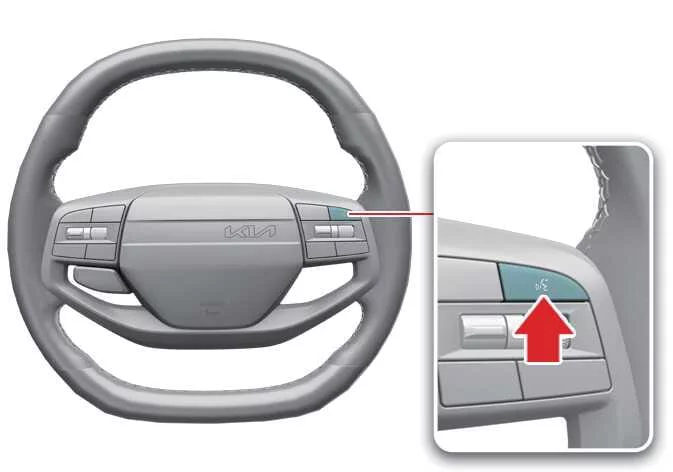
The AI Assistant in your Kia K4 is designed to elevate your driving experience by allowing you to control various vehicle functions and access information using natural voice recognition. This intelligent interface makes interacting with your Kia K4 more intuitive than ever.
To wake the AI Assistant, you can either press the dedicated AI Assistant button on your steering wheel or center console, or simply say the wake-up phrase: "Hey, Kia."
Example (Vehicle control)
"Hey, Kia, turn on the air conditioner."
"Hey, Kia, turn off the air conditioner."
You can also use voice commands to adjust interior temperature, manage navigation destinations, or control your music playback.
Example (Questions and general inquiries)
"Hey, Kia, can you explain why the ocean is blue in a way that a 7-year-old can understand?"
The AI Assistant can also provide weather updates, sports scores, or answer general knowledge questions while you are on the move in your Kia K4.
NOTE
Please keep in mind that the AI Assistant is a generative model and may occasionally provide inaccurate or incomplete information. We recommend that you verify important travel, medical, or technical details through independent, reliable sources.
Declaration of conformity
FCC Compliance
This automotive equipment has been rigorously tested and confirmed to comply with the limits for a Class B digital device, as mandated by Part 15 of the FCC Rules. These standards are established to provide reliable protection against harmful interference in standard residential installations.
Because this system generates, utilizes, and emits radio frequency energy, failure to install or operate it strictly according to the provided instructions may result in interference with radio communication services. While Kia K4 systems are designed to minimize this risk, there is no guarantee that interference will not occur in specific environments. If you suspect this equipment is causing interference with your radio or television reception—which can be verified by toggling the device power—we encourage you to attempt to rectify the issue using one or more of the following methods:
Adjust the orientation or relocate the receiving antenna.
Increase the physical distance between the Kia K4 equipment and the affected receiver.
Connect the equipment to an outlet on a circuit different from the one powering the receiver.
Contact your authorized dealer or a qualified radio/TV technician for professional assistance.
TIP
Any modifications, alterations, or repairs performed on this device that are not expressly approved by the manufacturer may void your legal authority to operate this equipment. Always ensure that service on your Kia K4 electronic systems is performed by trained professionals.


Other information:
Kia K4 (CL4) 2025-2026 Owner's Manual: Storage compartments
The Kia K4 interior is designed with several convenient storage compartments to organize small items for both the driver and passengers: For your security, it is highly recommended not to store high-value items in any vehicle storage compartments to avoid potential theft. Always ensure that compartment lids are fully closed while the Kia K4 is in motion.Kia K4 (CL4) 2025-2026 Owner's Manual: Tilt and telescopic steering wheel
The Kia K4 features a highly adjustable tilt and telescopic steering wheel, allowing you to fine-tune the driving position to your exact preferences before setting off. This versatile system also enables you to raise the wheel to its highest position, providing additional legroom for effortless entry and exit from the Kia K4. For the safest and most comfortable driving experience, the steering wheel should be positioned so that it feels natural during operation while ensuring you have a clear, unobstructed view of all instrument panel gauges and warning lights.