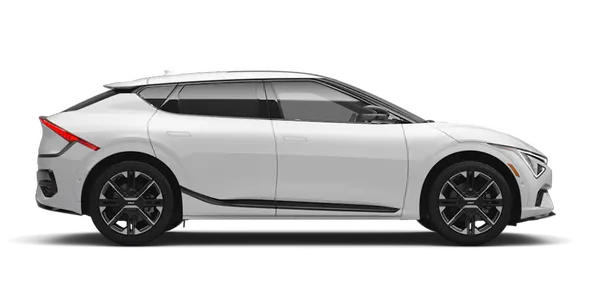
Kia K4: Infotainment system / Audio system
Contents:
The audio system in your Kia K4 is engineered for high-fidelity performance. To ensure the longevity and proper operation of all infotainment components, please adhere to the following guidelines regarding vehicle modifications and accessories.
NOTE
-
We strongly advise against the installation of aftermarket High Intensity Discharge (HID) headlight kits. Such modifications can create significant electromagnetic interference, which may cause malfunctions in your Kia K4 audio system and other sensitive electronic control units.
-
Exercise caution when applying metallic-based window tinting. These materials can severely obstruct radio reception, impede the hi-pass toll collection system, disrupt Kia Connect services, and interfere with the automatic headlight sensor performance. Furthermore, ensure that the liquid solutions used during the tinting installation are kept away from the vehicle's interior electronics, as moisture seepage can cause permanent circuit failure.
-
For vehicles equipped with the advanced factory infotainment system, please consult the dedicated infotainment manual provided with your owner's documentation for comprehensive operating instructions and configuration settings.
Shark-fin antenna
|
The shark-fin antenna on your Kia K4 is a precision component responsible for transmitting and receiving essential signals, including AM/FM radio broadcasts, GPS navigation data, and telematics for connected services. Depending on your Kia K4 configuration, this antenna may also manage additional communication signals.
-
Always verify the total height of your Kia K4 before entering structures with limited clearance, such as automated parking garages or automated car washes, to prevent accidental damage to the antenna.
-
Avoid contact with the antenna when securing loads on a roof rack. Physical impact or obstruction can degrade the signal transmission and reception quality of your Kia K4 audio and navigation systems.
USB port
Your Kia K4 features a dedicated USB port designed for seamless media connectivity and device charging. Use this port to connect USB storage devices to play your favorite media through the vehicle's audio system.
|
|
To activate the interface, press the release button (1). Once the USB port and integrated charger status light (2) illuminates, the system is ready for you to plug in your USB device. The Kia K4 system will then automatically recognize the connected media for your listening pleasure.
How vehicle radio works
In your Kia K4, the radio system functions by intercepting electromagnetic waves broadcast from transmitter towers throughout your region. The shark-fin antenna or integrated receiver on your Kia K4 captures these AM and FM signals, which the high-performance audio processor then decodes and amplifies to produce clear, immersive sound through your vehicle's speakers.
It is important to understand that radio signal quality can fluctuate based on environmental and physical factors. Occasional signal degradation is typically not a sign of a defect in your Kia K4 audio system, but rather a result of external interference.
Common factors influencing reception include your distance from the broadcast transmitter, interference from stronger nearby stations, or the physical presence of massive structures like skyscrapers, tunnels, bridges, and mountain ranges that can block or reflect radio waves.
FM reception
FM broadcasts operate at significantly higher frequencies compared to AM. Because these signals travel in a line-of-sight path, they do not naturally curve to follow the earth’s surface. As a result, FM signals in your Kia K4 may begin to fade as you move further from the broadcast tower. FM waves are also prone to interference from large buildings and geographic obstructions, which may create echoes or signal dropouts. These phenomena are characteristic of FM transmission physics and do not indicate a problem with the Kia K4 radio hardware.
AM reception
AM broadcasts typically offer a wider coverage area than FM. Because AM radio waves are transmitted at much lower frequencies, they possess the ability to follow the curvature of the earth's surface rather than traveling in a straight line. Additionally, these long-distance waves are more effective at "bending" around geographic obstacles, providing a more reliable signal over longer distances while driving your Kia K4.
Radio station behavior
The following reception phenomena are completely normal and demonstrate that your Kia K4 radio is actively searching for the clearest signal:
-
Fading: As your Kia K4 travels further away from a radio station's broadcast tower, the signal naturally loses strength, leading to decreased audio fidelity. When this happens, simply tune to an alternative station with a stronger signal in your area.
-
Flutter or static: When navigating near large obstacles or moving through areas with weak FM signals, you may hear static or "fluttering" interference. Reducing the treble setting on your Kia K4 audio equalizer can help mitigate this noise until you pass the obstruction.
-
Station swapping: The audio system in the Kia K4 is designed to prioritize the clearest available audio. If an FM signal weakens, the radio may automatically attempt to lock onto a stronger, competing signal on a similar frequency. If this occurs, we recommend manually selecting a station with a more consistent signal strength.
-
Multi-path interference: You might occasionally hear distorted audio when signals reflect off tall buildings or large metal surfaces, causing the primary signal and reflected signals to clash at your Kia K4 antenna.
-
Multi-path cancellation: Distorted audio or fluttering sounds can occur when radio signals reach your Kia K4 antenna from multiple directions simultaneously. This interference typically happens when the system receives a direct signal along with a reflected version of the same signal from buildings or terrain, or when two stations broadcasting on closely spaced frequencies overlap. To resolve this, simply tune to a different station until you move out of the affected area.
Using a mobile phone or 2-way radio
The use of mobile phones or high-frequency communication devices inside your Kia K4 may occasionally generate audible interference or static through the vehicle's speakers. Please note that this phenomenon is a standard interaction between electronic devices and is not an indication of a malfunction within the Kia K4 audio equipment. To minimize potential noise, we recommend keeping mobile communication devices as far away from the audio head unit and associated wiring as possible.
When operating dedicated communication equipment, such as external 2-way radio sets, within the cabin of your Kia K4, you must install a properly grounded external antenna. Utilizing mobile communication hardware with only an internal antenna can cause electromagnetic interference with the vehicle's sensitive electrical systems, which could inadvertently affect the safe operation of your Kia K4.
WARNING
Mobile phone use
For your safety and the safety of others, never use a mobile phone while driving your Kia K4. Always pull over and come to a complete stop at a designated safe location before attempting to place or receive calls.
WARNING
Distracted driving
Distracted driving is a leading cause of vehicle accidents and can result in a loss of control, severe bodily injury, or even death. As the operator of the Kia K4, your primary legal and moral responsibility is the safe, attentive control of the vehicle. Using handheld mobile devices, adjusting complex vehicle systems, or engaging with any equipment that diverts your eyes, attention, and focus away from the road is prohibited and extremely dangerous. Under no circumstances should these devices be operated while the vehicle is in motion.


Other information:
Kia K4 (CL4) 2025-2026 Owner's Manual: Blind-Spot View Monitor (BVM):
Figure 1. Left Figure 2. Right To assist you in making safer lane changes, the Kia K4 Blind-Spot View Monitor (BVM) automatically displays a live video feed of your rear blind spots directly in the instrument cluster whenever you engage your turn signal.If your specific vehicle package is configured with the optional premium wide sunroof assembly, you can effortlessly slide open or tilt the glass panel using the multi-stage electronic sunroof switch located conveniently on the overhead console panel. To protect the battery state of charge, you can only actuate the panoramic or wide sunroof tracking system when the ENGINE START/STOP button is placed in the active ON or START power mode positions.