
Kia EV6: Opening and closing / Purchasing used vehicle
Contents:
If you recently purchased a pre-owned Kia EV6, it is strongly recommended to remove all previously registered Digital Key 2 devices, including smartphone keys and card keys (if equipped), that may still be connected to the vehicle by the previous owner. Performing this step helps improve security and ensures that only authorized users can access your Kia EV6.
After purchasing a used Kia EV6, contact an authorized Kia dealer and notify them that ownership of the vehicle has changed. This helps confirm proper Digital Key 2 management and allows the system to be inspected if necessary.
Carefully verify whether the supplied Digital Key 2 card key (if equipped) functions correctly with your Kia EV6. If the card key does not respond properly or communication becomes unstable, delete the existing card key registration, register the smartphone key first, and then register the card key again to restore proper operation.
Resetting all previous Kia EV6 Digital Key 2 credentials is recommended whenever vehicle ownership changes to help prevent unauthorized access and maintain full personalization functionality.
Digital Key 2 Maintenance
If your Kia EV6 requires servicing involving the Digital Key 2 system, infotainment unit, authentication module, or electronic control components, previously registered digital keys such as smartphone keys or card keys may be automatically removed depending on the type of maintenance performed.
After certain repairs or software updates, you may need to re-register your Kia EV6 Digital Key 2 devices to restore full access to vehicle locking, unlocking, and start functions.
Limitations of the system
-
Kia EV6 Digital Key 2 may not function correctly under any of the following conditions:
-
The smartphone battery or the Kia EV6 vehicle battery is discharged or operating at a critically low level.
-
NFC or Bluetooth functions are disabled in the smartphone settings.
-
A thick smartphone case, metallic case, or a credit card overlaps the back of the smartphone and interferes with NFC communication.
-
The Digital Key 2 card key (if equipped) is stored together with other cards inside a wallet or cardholder.
-
Electronic interference from nearby vehicles, wireless devices, or surrounding electronic equipment disrupts communication.
-
Communication errors may occur if a metallic accessory or communication device is attached to the smartphone. If the Kia EV6 Digital Key 2 system malfunctions, remove any attached covers or accessories and try again.
-
-
The smartphone may not properly control the Kia EV6 if any of the following situations occur:
-
Essential smartphone operations are active, such as voice calls, emergency calls, audio streaming, or contactless payment functions.
-
Wireless earphones or Bluetooth audio devices are currently being used for calls or media playback.
-
The Kia Access App functionality is limited by smartphone manufacturer battery optimization settings, background restrictions, or app priority management policies.
-


Other information:
Kia EV6 2022-2026 Owner's Manual: Trouble shooting status indicator lamp
Indicator Details On: Charging error or self-diagnosis failure detected during Kia EV6 charging operation. Error code Item Cause E1 Control pilot communication Vehicle communication error E2 Leakage Current leakage detecWhen using any cleaning product, polish, protectant, or chemical treatment on your Kia EV6, it is extremely important to carefully follow the manufacturer's instructions. Always read all warning notices, safety recommendations, and precautionary statements provided on the product label before application. Using cleaning products incorrectly may damage painted surfaces, exterior trim, glass, or protective coatings.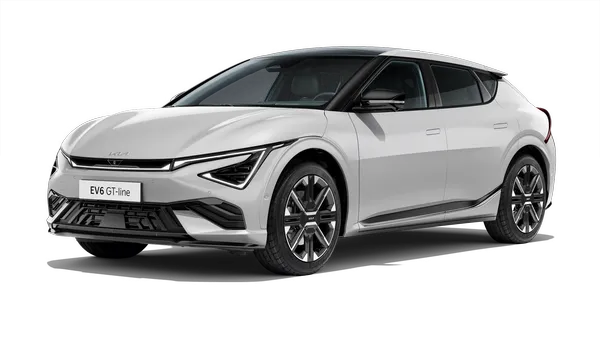
Contents
Categories
- Manuals Home
- Kia EV6 Owners Manual
- Questions & Answers
- Video Guides
- Useful Resources
- New on site
- Most important about Kia EV6
- Privacy Policy
