
Kia EV6: Controls and features / Fingerprint authentication system : (if equipped)
Contents:
- Settings for the fingerprint authentication system
- Operating the fingerprint authentication system
- Limitations of the system
- Used vehicle
The Kia EV6 fingerprint authentication system provides secure and convenient access to personalized vehicle functions. With a registered fingerprint, drivers can access personal information, unlock their driver profile, and exit valet mode without entering a password.
The fingerprint authentication feature enhances convenience while helping protect personalized settings and user information stored inside the Kia EV6 infotainment system.
Settings for the fingerprint authentication system ➤
Operating the fingerprint authentication system ➤
Limitations of the system
-
The Kia EV6 fingerprint authentication system may not operate correctly under the following conditions:
-
You attempt authentication using a fingerprint that has not been registered in the system.
-
Your finger is not placed directly in the center of the fingerprint authentication sensor.
-
Water, moisture, dust, oil, lotion, or other substances are present on your finger or on the sensor surface.
-
The protective film covering the fingerprint sensor has not been removed.
-
The registered fingerprint is damaged, swollen, scratched, or temporarily altered.
-
Your hands are excessively dry, reducing fingerprint recognition accuracy.
-
You touch the fingerprint sensor too briefly or remove your finger too quickly.
-
-
The Kia EV6 fingerprint enrollment and deletion functions may become temporarily restricted if authentication fails more than five consecutive times. In this situation, wait for a short period and try again later, or use another login method such as entering your password manually.
-
If the Kia EV6 fingerprint authentication system or related components require repair at an authorized Kia dealer, previously registered fingerprints may be deleted during servicing. Always bring your smart key when visiting an authorized Kia dealer.
-
The fingerprint authentication sensor cannot operate when the Kia EV6 battery is completely discharged.
-
If the vehicle is switched to the POWER ON or OFF position during fingerprint authentication, the authorization process will not complete correctly.
WARNING
Do not register a child’s fingerprint in the Kia EV6 fingerprint authentication system. Unexpected accidents or unsafe situations may occur if a child remains unattended inside the vehicle with access to vehicle functions.
Used vehicle ➤


Other information:
All doors of the Kia EV6 are securely locked when the lock button is pressed. If every door is fully closed, the hazard warning lights will flash once and the warning chime will sound once to confirm that the vehicle has been locked successfully. If one or more doors remain open, the hazard warning lights and confirmation chime may not activate.Towing Service Wheel dollies If the Kia EV6 requires towing, the procedure should be performed by an authorized Kia dealer or a professional towing service equipped to handle electric vehicles. Following the correct lifting and transportation procedures is essential to prevent damage to the electric powertrain, suspension, battery system, and drivetrain components.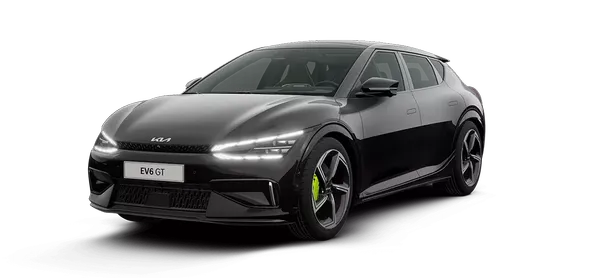
Contents
- Settings for the fingerprint authentication system
- Operating the fingerprint authentication system
- Limitations of the system
- Used vehicle
Categories
- Manuals Home
- Kia EV6 Owners Manual
- Questions & Answers
- Video Guides
- Useful Resources
- New on site
- Most important about Kia EV6
- Privacy Policy
