
Kia EV6: Electric vehicle guide / EV menu
Contents:
- EV mode screen
- Energy information
- Energy consumption history
- State Of Health
- Real-time charging information
- Nearby charging stations
- Next departure
- Charging and climate
- Vehicle to load (V2L)
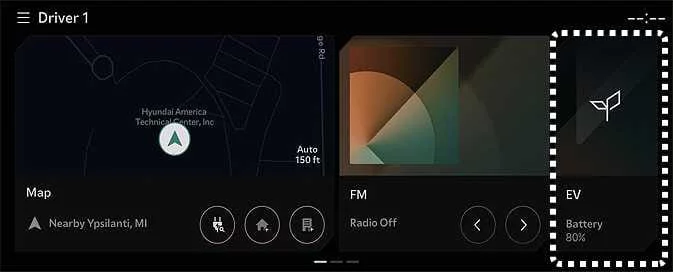
Selecting the EV menu from the Kia EV6 infotainment home screen allows access to various electric vehicle management features, charging settings, energy monitoring functions, and battery-related information.
|
TIP
The Kia EV6 infotainment interface may change after software or navigation updates. For additional details, refer to the infotainment system manual and quick reference guide supplied with the vehicle.
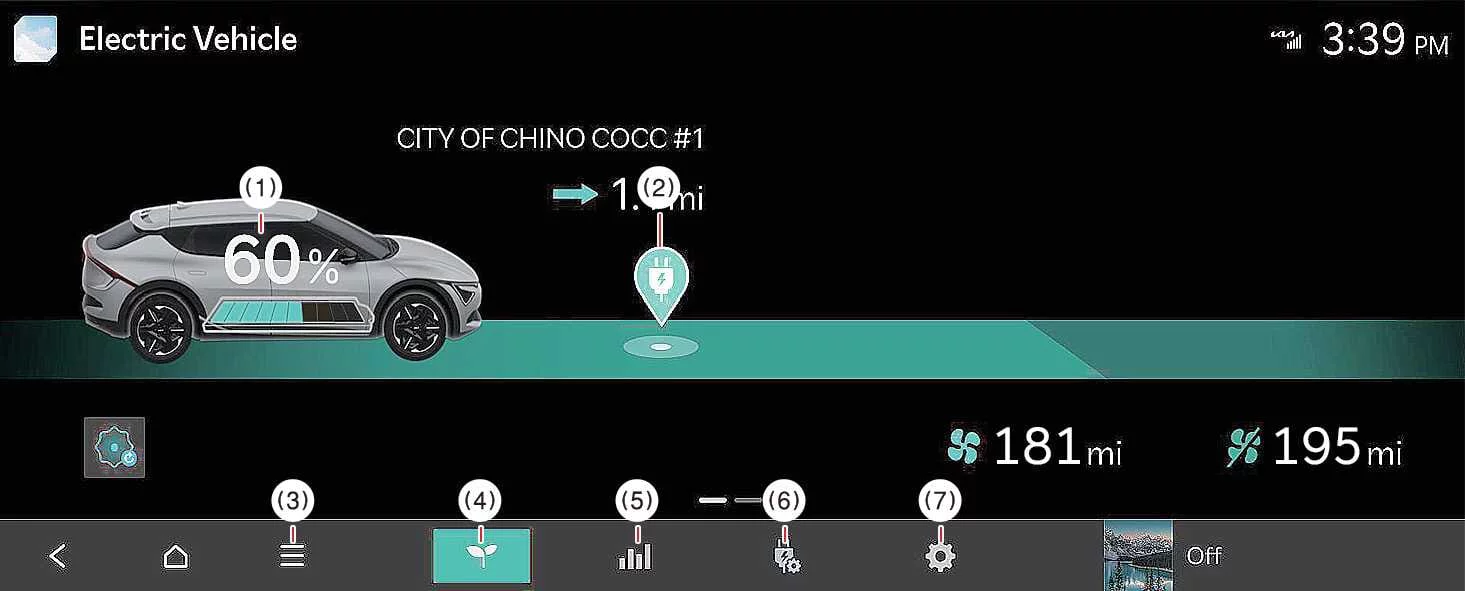
EV mode screen
-
Energy Information
-
Nearby Stations
-
Other Menu
-
Energy Economy
-
Reserved Charging
-
EV Menu
-
EV Settings
Energy information
|
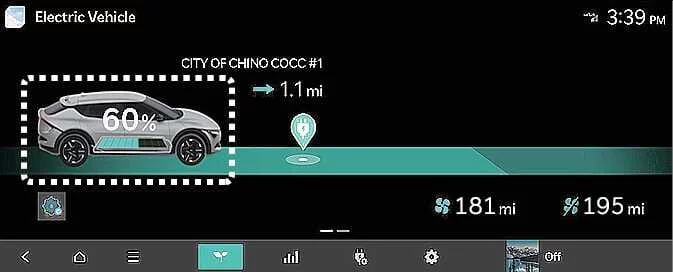
To view the current high-voltage battery charge level and related energy information in the Kia EV6, tap the vehicle image displayed on the infotainment screen.
Energy consumption history
|
|
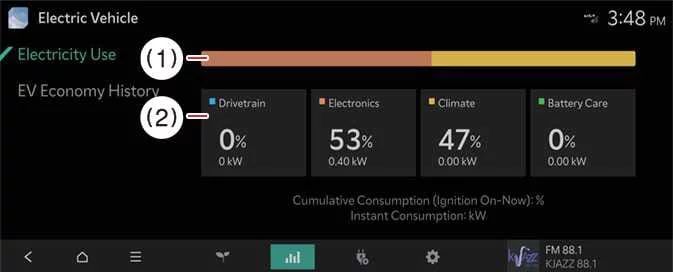
The Kia EV6 allows drivers to review detailed energy consumption history, including previous driving dates, driving distances, and electricity usage statistics. An efficiency icon identifies the most energy-efficient driving record stored in the vehicle history.
State Of Health
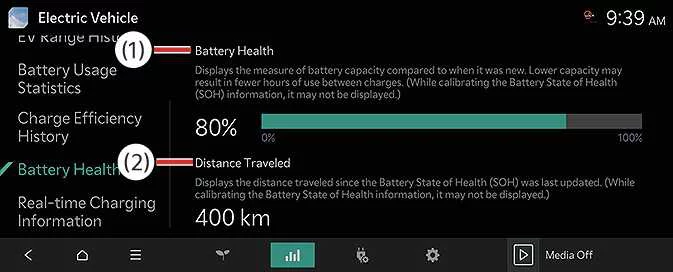
The State of Health function in the Kia EV6 provides information regarding the overall condition and long-term performance of the high-voltage battery.
|
|
The battery health indicator represents the remaining energy storage capability of the Kia EV6 high-voltage battery. The battery is calibrated at 100% capacity when new, and the displayed value gradually changes over time as the battery ages and experiences charging cycles.
The system also displays the distance driven since the battery State of Health was last calculated.
Real-time charging information
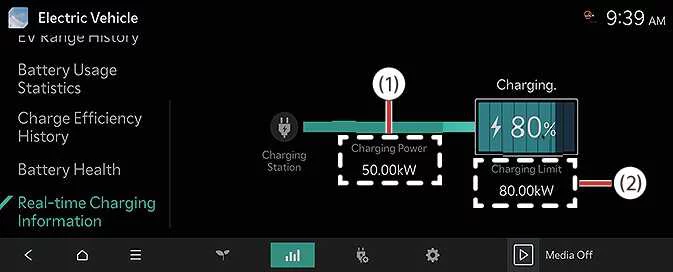
While charging the Kia EV6, the infotainment system can display real-time charging data to help monitor charging performance and efficiency.
|
|
During charging, the Kia EV6 displays charging power levels and charging limits so drivers can efficiently manage battery charging and optimize energy usage. These details are available only while the vehicle is actively charging.
Nearby charging stations
|
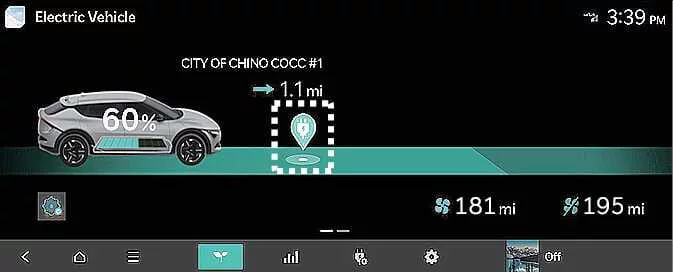
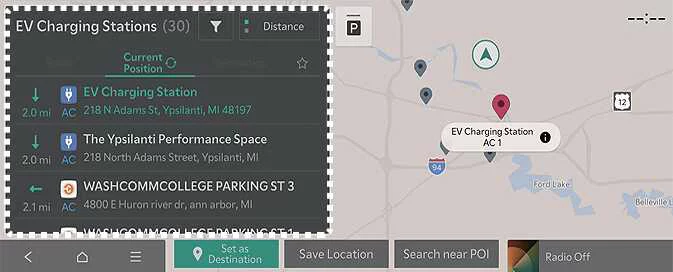
To search for nearby charging stations using the Kia EV6 infotainment system, tap the charging station icon to open the navigation map and charging station search interface.
|
The Kia EV6 can search for charging stations near the current vehicle location, along the navigation route, near the destination, or at other points of interest. Selecting a charging station provides detailed information such as charger availability, location details, and navigation guidance.
TIP
The infotainment system interface in the Kia EV6 may change after future software updates. Refer to the infotainment manual and quick reference guide for the latest functionality information.
Next departure ➤
Charging and climate ➤
Vehicle to load (V2L) ➤


Other information:
When this convenience feature is activated through the Kia EV6 infotainment system, all vehicle doors automatically lock once the vehicle speed exceeds approximately 9 mph (15 km/h). The automatic speed-sensitive locking system of the Kia EV6 is designed to improve passenger safety and enhance overall vehicle security while driving. Drivers can activate or deactivate the automatic door locking and unlocking functions according to their personal preferences.Tap the corresponding icon on the Kia EV6 infotainment screen to access Scheduled Charging and Target Temperature settings. NOTE To use scheduled charging features, the Kia EV6 must remain connected to a charging cable at the scheduled charging time. You can configure charging schedules, charging dates, charging times, and target cabin climate temperatures.
Contents
- EV mode screen
- Energy information
- Energy consumption history
- State Of Health
- Real-time charging information
- Nearby charging stations
- Next departure
- Charging and climate
- Vehicle to load (V2L)
Categories
- Manuals Home
- Kia EV6 Owners Manual
- Questions & Answers
- Video Guides
- Useful Resources
- New on site
- Most important about Kia EV6
- Privacy Policy
