
Kia Seltos: LCD display / Trip information (trip computer)
Contents:
- Trip Modes
- Drive Info mode
- Since Refueling mode
- Accumulated driving information mode
- Auto Stop timer
- Digital speedometer
The Kia Seltos trip computer is a microcomputer-controlled driver information system that displays useful driving data. It helps the driver monitor trip distance, driving time, fuel economy, and other important travel information directly through the instrument cluster.

NOTICE
Some driving information stored in the Kia Seltos trip computer may be reset if the battery is disconnected.
Trip Modes
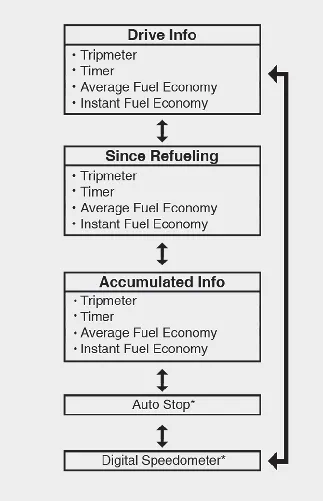
Type A
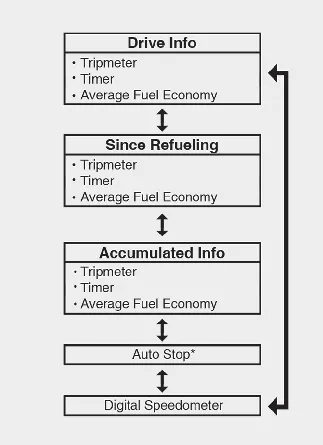
Type B
*: if equipped
To change the trip mode, scroll the toggle switch ( /
/  ) on the steering wheel.
Drive Info mode
This display shows trip distance (1), total driving time (2), average fuel efficiency (3), and instant fuel economy (4, if equipped) for one ignition cycle. It is useful for checking the Kia Seltos driving data from the current trip.
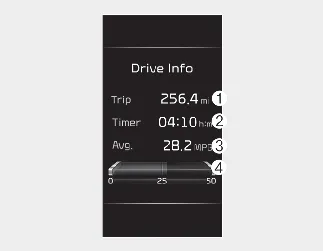
Type A
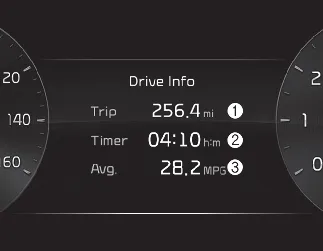
Type B
-
Fuel efficiency is calculated after the Kia Seltos has been driven for more than 0.2 miles (300 meters).
-
If the driver's door is opened after the engine is turned off, or if 3 minutes pass after restarting the engine, the Drive Info data will reset.
-
If you press the OK button for more than 1 second while the Drive Info screen is displayed, the information will be reset.
-
If the engine is running, the information will continue to accumulate even when the vehicle is not moving.
Since Refueling mode
This display shows trip distance (1), total driving time (2), average fuel efficiency (3), and instant fuel economy (4, if equipped) after the Kia Seltos has been refueled. This mode is helpful for tracking fuel use between fill-ups.
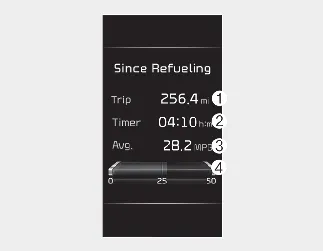
Type A
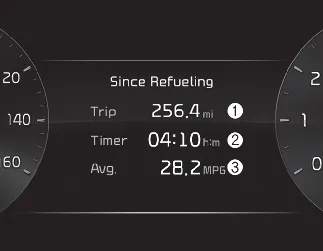
Type B
-
Fuel efficiency is calculated after the vehicle has been driven for more than 0.2 miles (300 meters).
-
After refueling more than 1.6 gallons (6 liters) and driving over 1 mph (1 km/h), the Since Refueling data will reset automatically to its default state.
-
If you press the OK button for more than 1 second while the Driving Information screen is displayed, the information will be reset.
-
If the engine is running, the information will continue to accumulate even if the Kia Seltos is stationary.
Accumulated driving information mode
This display shows accumulated trip distance (1), total driving time (2), average fuel efficiency (3), and instant fuel economy (4, if equipped). It is useful for monitoring longer-term Kia Seltos driving patterns over multiple trips.
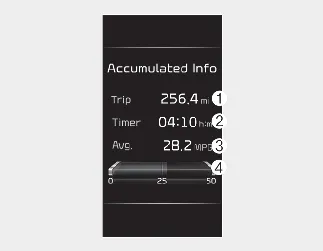
Type A
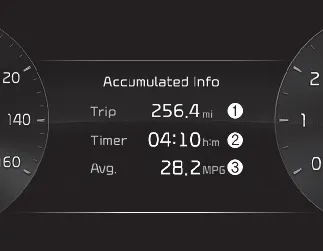
Type B
-
Accumulated information is calculated after the vehicle has been driven for more than 0.2 miles (300 meters).
-
If you press the OK button for more than 1 second while the accumulated information is displayed, the data will be reset.
-
If the engine is running, the information will continue to accumulate even when your Kia Seltos is not moving.
Auto Stop timer
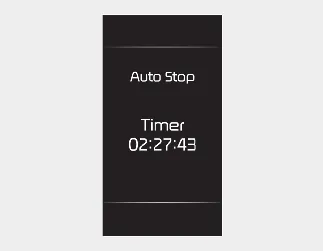
This mode displays the elapsed Auto Stop time from the Idle Stop and Go system. It helps show how long the engine has remained stopped automatically during compatible driving conditions.
Digital speedometer
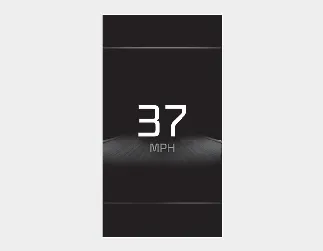
Type A
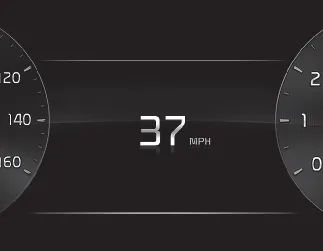
Type B
This mode displays the current speed of the Kia Seltos in a digital format for quick and easy reading.
For Type A cluster
This mode displays the current vehicle speed in MPH when the speedometer unit is selected in km/h. This mode is not displayed when MPH is already selected as the speedometer unit.


Other information:
Kia Seltos SP2 (2021-2026) Owner's Manual: Remote keyless entry
The remote keyless entry system allows you to lock and unlock the Kia Seltos doors from a distance for convenience and security. Remote keyless entry system operations Folding key Smart key - Type A Smart key - Type B Lock (1) All doors are locked when the lock button is pressed. If all doors are closed, the hazard warning lights will blink, and the chime will sound once for the smart key to confirm that all doors are locked.Kia Seltos SP2 (2021-2026) Owner's Manual: Tire Pressure Monitoring System (TPMS)
The Tire Pressure Monitoring System (TPMS) in the Kia Seltos detects tire pressure and displays tire pressure information on the LCD display. Low tire pressure telltale / TPMS malfunction indicator Low tire pressure position telltale shown on the LCD display Tire Pressure Indicator You can check tire pressure in the Information () mode on the cluster.