
Kia Seltos: LCD display / LCD display modes
Contents:
- Driving Assist mode
- Trip computer mode
- Turn By Turn (TBT) mode
- Information mode
- Master warning mode
- User Settings mode
You can switch between LCD display modes by pressing the Mode button. The available screens may differ depending on the Kia Seltos trim level, equipment, and active vehicle systems.
|
|
||||||
|---|---|---|---|---|---|---|

Driving Assist |

Trip Computer |

Turn By Turn (TBT)* |

User Settings *1 |

Information |

Master warning |
|
|
Up/Down |
Lane Keeping Assist/Smart Cruise Control*/Lane Following Assist/Highway Driving Assist* |
Drive Info |
Route Guidance |
Driver Assistance |
Driving force distribution (AWD)* |
The Master Warning mode displays warning messages related to the Kia Seltos when one or more systems are not operating normally. |
|
Since Refueling |
Destination Info |
Cluster |
Tire Pressure |
|||
|
Accumulated Info |
Lights |
|||||
|
Auto Stop* |
Door |
|||||
|
Digital Speedometer* |
Convenience |
|||||
|
Units |
||||||
|
Language |
||||||
|
Reset |
 Mode
Mode

The information provided on the LCD display may differ depending on which functions and options are available on your Kia Seltos.
*: if equipped
* 1: for Type A cluster

NOTICE
Keep the engine running when configuring display settings to help prevent the battery from discharging, especially if you are adjusting several Kia Seltos cluster options at once.
Driving Assist mode
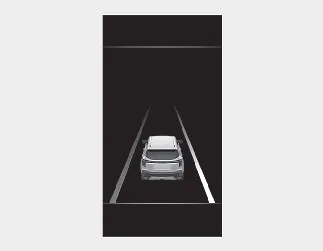
This mode displays the operating state of the following driver assistance systems:
-
Lane Keeping Assist
Smart Cruise Control
Lane Following Assist
Highway Driving Assist
The displayed information helps the driver monitor which assistance functions are active or available while driving the Kia Seltos.
Trip computer mode
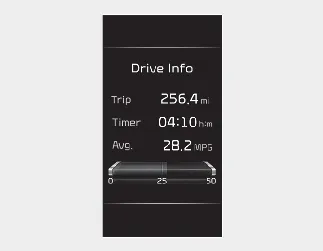
The trip computer mode displays information related to vehicle driving data, including fuel economy, trip distance, driving time, and other travel details. This mode is useful for checking everyday driving efficiency in the Kia Seltos.
Turn By Turn (TBT) mode
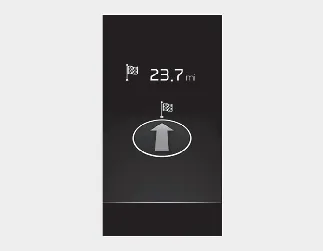
This mode displays the status of navigation guidance. When route guidance is active, the Kia Seltos cluster may show turn-by-turn information to help the driver follow the selected route more easily.
Information mode
Driving force distribution (AWD)
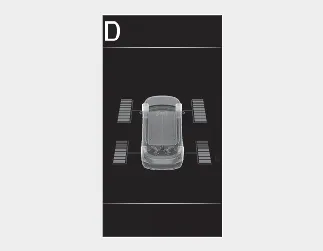
This mode displays information related to driving force distribution. On AWD-equipped Kia Seltos models, it can help show how power is being distributed while driving.
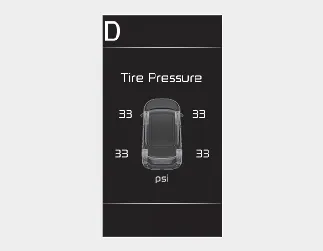
Tire Pressure
This mode displays tire pressure information for the Kia Seltos. Check this screen regularly, especially before long trips, after temperature changes, or when a tire pressure warning appears.
Master warning mode
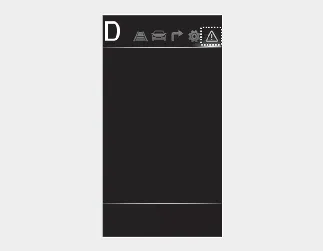
The Kia Seltos Master Warning mode alerts the driver when one or more important vehicle systems require attention. This warning helps bring system messages together in one place so the driver can quickly understand that a condition needs to be checked.
This warning light may inform the driver about the following situations:
-
Forward Collision-Avoidance Assist malfunction*
-
Forward Collision-Avoidance Assist radar blocked*
-
Blind-Spot Collision-Avoidance Assist malfunction*
-
Blind-Spot Collision-Avoidance Assist radar blocked*
-
High Beam Assist malfunction*
-
Smart Cruise Control malfunction*
-
Smart Cruise Control radar blocked*
-
LED headlamp malfunction*
-
Lamp malfunction, or another related vehicle warning.
A Master Warning icon ( ) will appear on the Kia Seltos LCD display when a related warning condition is active.
If the warning condition is corrected, the master warning light will turn off and the Master Warning icon will disappear from the display. If the warning remains, check the related message and have the Kia Seltos inspected when necessary.
* : if equipped
User Settings mode ➤


Other information:
Kia Seltos SP2 (2021-2026) Owner's Manual: Engine coolant
The Kia Seltos high-pressure cooling system uses a reservoir filled with year-round antifreeze coolant. This coolant is installed at the factory and is designed to help protect the engine from overheating, freezing, and internal corrosion. Check the antifreeze protection and coolant level at least once a year, preferably at the beginning of the winter season, and before driving the Kia Seltos to a colder climate.Kia Seltos SP2 (2021-2026) Owner's Manual: All Wheel Drive (AWD) system
The All Wheel Drive (AWD) system in the Kia Seltos distributes engine power to the front and rear wheels to help provide improved traction when driving conditions require extra grip. AWD can be useful when additional traction is needed, such as on slippery, muddy, wet, or snow-covered roads. It helps the Kia Seltos maintain more stable driving performance when road surfaces become difficult.