
Kia EV6: Controls and features / Switching between panels
Contents:
- Automatic heating and air conditioning (A/C) operation
- Manual heating and air conditioning (A/C) operation
|
|
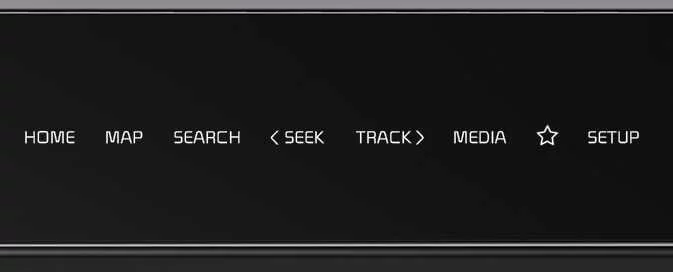
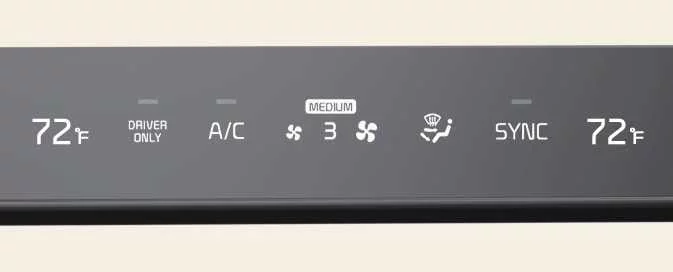
Press the switchable controller button to choose the desired Kia EV6 control panel mode.
The selected control panel icon appears on the display and the panel changes accordingly.
-
The knob display changes automatically according to the selected Kia EV6 control panel mode.
Setting the default mode
|
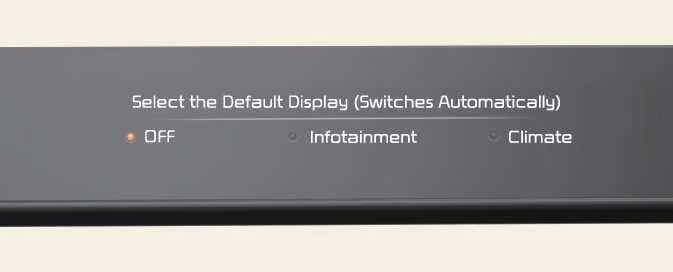
Press and hold the button to select the Kia EV6 controller’s default operating mode.
-
After configuration, the control panel automatically returns to the selected default mode after a short period, even if another mode was temporarily selected.
-
If the default mode is set to OFF, the Kia EV6 control panel displays the most recently used mode.
Automatic heating and air conditioning (A/C) operation
-
Press the AUTO button.
The Kia EV6 climate system automatically controls air flow modes, fan speed, air intake selection, and air conditioning operation according to the selected temperature setting.

-
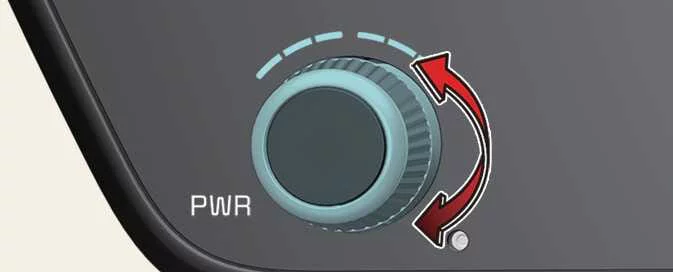
Turn the Kia EV6 temperature control knob to the desired cabin temperature.
-
To deactivate Kia EV6 automatic climate operation, select any of the following buttons or controls manually:
-
Mode selection button
-
Air conditioning button
-
Front windshield defroster button (press the button once more to deactivate the windshield defroster function. The AUTO indicator appears again on the display.)
-
Air intake control button
-
Fan speed control switch
The selected Kia EV6 function operates manually, while all remaining climate functions continue operating automatically.
-
-
For maximum Kia EV6 climate control efficiency and passenger comfort, use the AUTO mode and set the cabin temperature to approximately 72 °F (22 °C).
|
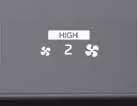
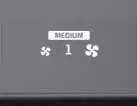
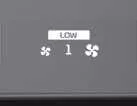
Level |
Indicator |
LCD Display |
Air flow |
|---|---|---|---|
|
High |

|
|
2–8 |
|
Medium |

|
|
1–6 |
|
Low |

|
|
1–4 |
NOTE
Do not place objects over the Kia EV6 climate control sensor located on the instrument panel. Blocking the sensor may reduce automatic heating and cooling performance.

|
Manual heating and air conditioning (A/C) operation ➤


Other information:
Kia EV6 2022-2026 Owner's Manual: Charging door operation
Push the charging door gently to open the Kia EV6 charging inlet compartment. Press the charging door open/close button or manually close the charging door securely after charging is completed. Figure 2. Instrument panel Charging door operation Press the charging door open/close button located inside the Kia EV6 cabin to operate the charging door electronically.Kia EV6 2022-2026 Owner's Manual: If You Have a Flat Tire (with Tire Mobility Kit)
The Tire Mobility Kit (TMK) supplied with the Kia EV6 is intended as a temporary emergency repair solution. Following use of the kit, the damaged tire should be professionally inspected, repaired, or replaced by an authorized Kia dealer as soon as possible. Compressor Sealant bottle Before using the Tire Mobility Kit on your Kia EV6, carefully read all instructions and safety information contained in this section to ensure proper operation and maximum effectiveness.
Contents
- Automatic heating and air conditioning (A/C) operation
- Manual heating and air conditioning (A/C) operation
Categories
- Manuals Home
- Kia EV6 Owners Manual
- Questions & Answers
- Video Guides
- Useful Resources
- New on site
- Most important about Kia EV6
- Privacy Policy
