
Kia EV6: Smart Cruise Control (SCC) / Smart Cruise Control settings
Contents:
Smart Cruise Control
While the Kia EV6 is in DRIVE READY mode, tap Setup > Vehicle > Driver Assistance > Driving Convenience > Smart Cruise Control on the infotainment system screen to set vehicle distance, acceleration behavior, and response speed.
These settings allow Kia EV6 Smart Cruise Control to better match the driver’s preferred comfort level and traffic conditions.
Based on Driving Style
|
|
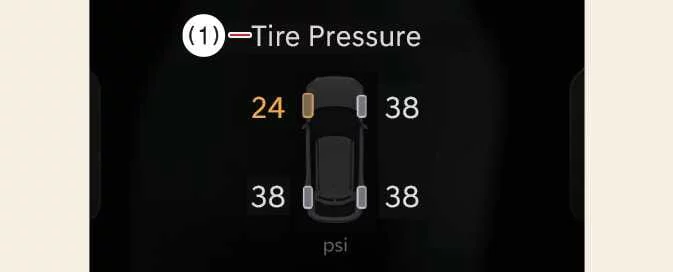
While the Kia EV6 is in DRIVE READY mode, tap Setup > Vehicle > Driver Assistance > Smart Cruise Control > Based on Driving Style.
If Based on Driving Style is selected on the infotainment system screen, Kia EV6 Smart Cruise Control operates based on learned driving behavior, including following distance, acceleration pattern, and reaction speed.
The driver’s driving style settings can also be adjusted manually when needed.
NOTE
-
If the Kia EV6 is equipped with Based on Driving Style, this option can be selected from the infotainment system by choosing Setup > Vehicle > Driver Assistance > Smart Cruise Control.
-
While Smart Cruise Control is operating with Based on Driving Style selected, pressing and holding the Vehicle Distance button (
 ) disables Based on Driving
Style mode.
) disables Based on Driving
Style mode.To activate Based on Driving Style mode again, press and hold the Vehicle Distance button (
 ).
). -
Kia EV6 Smart Cruise Control learns the driver’s driving style only while the driver is operating the vehicle.
-
When Based on Driving Style is disabled, the driver’s learned settings for inter-vehicle distance, acceleration, and response speed may remain at the same displayed level as the Based on Driving Style mode.
-
When Based on Driving Style is enabled or disabled, the displayed driving style level may appear the same, but the actual controlled behavior of Kia EV6 Smart Cruise Control may vary.
-
Traffic flow, road type, weather, and driver input may influence how smoothly Kia EV6 Smart Cruise Control responds during operation.


Other information:
Kia EV6 2022-2026 Owner's Manual: Limitations of Reverse Parking Collision-Avoidance Assist
The Reverse Parking Collision-Avoidance Assist system in the Kia EV6 is designed to enhance parking safety; however, under certain conditions it may not provide braking assistance even when pedestrians, vehicles, or other obstacles are present behind the vehicle. Drivers should always remain attentive and visually monitor their surroundings while reversing.Kia EV6 2022-2026 Owner's Manual: Smart regeneration system will be temporarily canceled when:
Canceled manually The Smart Regeneration System temporarily turns off and the AUTO regenerative braking indication disappears from the Kia EV6 cluster display. Pull and hold the right-side paddle shifter for longer than 0.5 second. Canceled automatically The vehicle is shifted into N (Neutral), R (Reverse), or P (Park).
Contents
Categories
- Manuals Home
- Kia EV6 Owners Manual
- Questions & Answers
- Video Guides
- Useful Resources
- New on site
- Most important about Kia EV6
- Privacy Policy
