
Kia Seltos: Driving your vehicle / Vehicle Auto Shut-off system
Contents:
- Requirements for activation
- Setting Shut-off Time
- Resetting the time
- Canceling the Vehicle Auto Shut-off system
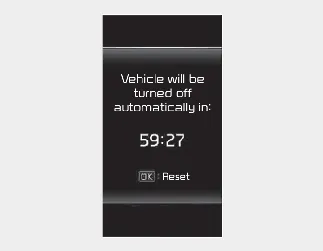
The Vehicle Auto Shut-off system in the Kia Seltos is designed to turn the vehicle off automatically after a selected period of time. This feature helps reduce unnecessary fuel use and energy consumption, and it also helps lower the risk of carbon monoxide (CO) exposure when the vehicle is left running while parked.
Requirements for activation
This system can activate only when all of the following requirements are satisfied:
-
The ignition switch is ON.
-
The transmission is in the P (Park) position.
-
The Kia Seltos is stopped.
-
The vehicle speed is below 2 mph (3 km/h).
-
The driver's seat belt is unfastened.
-
A door is opened.
-
The front passenger seat is not occupied.
Setting Shut-off Time
The driver can set the shut-off time using either the instrument cluster LCD display or the infotainment system screen. This allows the Kia Seltos driver to choose how long the vehicle may remain on before the automatic shut-off function operates.
The option can be found under the following menu:
With the ignition switch or ENGINE START/STOP button in the ON position, select ‘User Settings → Convenience → Vehicle Auto-Shut Off → 60 min./30 min./Off’ on the LCD display, or select ‘Setup → Vehicle → Convenience → Vehicle Auto-Shut Off → 60min/30min/Off’ on the infotainment system screen to set whether this function is used.

NOTICE
-
The default setting will remain stored until the timer setting is changed or reset.
-
If the driver selects 'Off' in User Settings mode, the timer will return to the previous setting at the next startup.

NOTICE
-
The default shut-off time setting is 30 minutes.
Resetting the time
The system timer can be initialized and restarted under the following conditions:
-
When the brake pedal is pressed and released.
-
When the accelerator pedal is pressed.
-
When the driver manually resets the timer.
-
When the driver manually presses the OK button on the steering wheel.
Canceling the Vehicle Auto Shut-off system
The Vehicle Auto Shut-off system will be canceled automatically when any of the following conditions occur:
-
The Kia Seltos speed increases above 2 mph (3 km/h).
-
The transmission is shifted to D (Drive), R (Reverse), or N (Neutral).
-
The driver's seat belt is fastened.


Other information:
Kia Seltos SP2 (2021-2026) Owner's Manual: Warning lights
Warning lights indicate situations that require the driver's attention. Some warnings may require immediate action, while others may indicate that the Kia Seltos should be inspected or serviced. NOTICE Warning lights After starting the engine, make sure all warning lights turn off. If any warning light remains on, it indicates a condition that needs attention.Kia Seltos SP2 (2021-2026) Owner's Manual: If you have a flat tire (with spare tire)
If your Kia Seltos has a flat tire, it may be replaced with the spare tire by using the supplied tools. Always park the vehicle safely before beginning any tire change procedure. WARNING Driving the Kia Seltos on a flat tire can permanently damage the tire. Re-inflating a tire that has been driven while severely underinflated or completely flat may cause a blowout and could lead to a serious crash.