
Kia Seltos: Smart Cruise Control (SCC) / SCC settings
Contents:
Based on Drive Mode
Smart Cruise Control acceleration response may change according to the Drive Mode selected through the Drive Mode integrated control system. Refer to the following chart for Kia Seltos SCC behavior by mode.
|
Drive Mode |
Smart Cruise Control |
|---|---|
|
NORMAL |
Normal |
|
SMART |
Normal |
|
SPORT |
Fast |

NOTICE
-
For more details about Drive Mode, refer to More Details.
-
In vehicles without Drive Mode, Smart Cruise Control accelerates the vehicle at the 'Normal' level.
Warning Methods
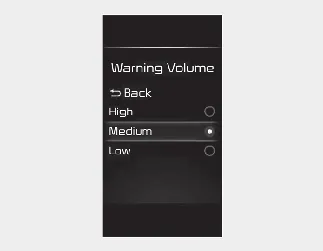
You can adjust the Warning Methods with the ignition switch or ENGINE START/STOP button in the ON position.
-
Warning Volume: Select User Settings → Driver Assistance → Warning Volume on the LCD display, or select Setup → Vehicle → Driver Assistance → Warning Methods on the infotainment system.
-
Driving Safety Priority: Select Setup → Vehicle → Driver Assistance → Warning Methods → Driving Safety Priority on the infotainment system. For safer driving, the audio volume may temporarily decrease so the driver can hear the audible warning more clearly.

NOTICE
-
The Warning Methods you select may also apply to the warning volume of other ADAS functions in the Kia Seltos.
-
Warning Methods will keep the last selected setting even if the vehicle is restarted.
-
The setting menu may not be available depending on vehicle features, trim level, and specifications.


Other information:
Kia Seltos SP2 (2021-2026) Owner's Manual: Air bag - advanced Supplemental Restraint System
* The actual air bags and their locations in your Kia Seltos may differ from the illustration depending on model, trim, and equipment. Driver's front air bag Passenger's front air bag Side air bag Curtain air bag Even in vehicles equipped with air bags, the driver and all passengers must always wear the safety belts provided.Kia Seltos SP2 (2021-2026) Owner's Manual: Trip information (trip computer)
The Kia Seltos trip computer is a microcomputer-controlled driver information system that displays useful driving data. It helps the driver monitor trip distance, driving time, fuel economy, and other important travel information directly through the instrument cluster. NOTICE Some driving information stored in the Kia Seltos trip computer may be reset if the battery is disconnected.