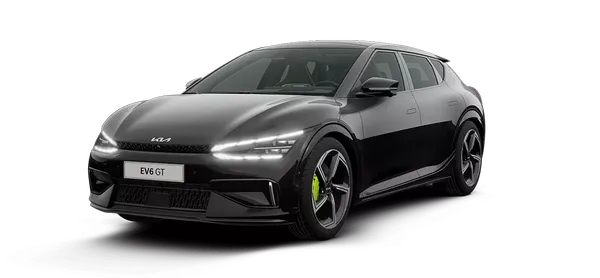
Kia K4: Rear Cross-Traffic Collision-Avoidance Assist (RCCA): / Rear Cross-Traffic Collision-Avoidance Assist settings
Contents:
Rear Cross-Traffic Safety
|
|
While the Kia K4 is powered ON, you can easily manage the Rear Cross-Traffic Collision-Avoidance Assist (RCCA) functionality by navigating through the infotainment system menu: Setup > Vehicle > Driver Assistance > Parking Safety > Rear Cross-Traffic Safety. From here, you can customize the system's operational preferences to suit your driving needs in your Kia K4.
WARNING
For your security, the Rear Cross-Traffic Collision-Avoidance Assist system in the Kia K4 is designed to automatically activate every time the vehicle is restarted. If you choose to manually deselect Rear Cross-Traffic Safety after restarting, please remain vigilant, observe your surroundings, and exercise extreme caution while maneuvering your vehicle.
Warning Methods
|
|
|
To personalize how your Kia K4 notifies you of potential hazards, navigate to Setup > Vehicle > Driver Assistance > Warning Methods on the infotainment system. You may adjust the following configurations:
-
Warning Volume: Fine-tune the audio level of the alert chimes to your preferred intensity.
-
Haptic Warning: Enable this to receive a physical alert through steering wheel vibrations when the system detects a potential risk.
TIP
-
Adjustments made to Warning Methods in your Kia K4 may globally affect the alert profiles for other integrated driver assistance technologies.
-
The Kia K4 system intelligently retains your selected Warning Methods, ensuring your preferences remain active even after cycling the ignition.
-
Depending on the specific trim and software version of your Kia K4, some menu options may vary.


Other information:
Kia K4 (CL4) 2025-2026 Owner's Manual: Lane Keeping Assist (LKA)
When operating your Kia K4 at speeds above a certain threshold, the Lane Keeping Assist (LKA) system actively monitors road lane markings and edges. Designed to enhance your driving experience, Lane Keeping Assist can provide proactive steering assistance to help prevent your Kia K4 from unintentionally drifting out of its lane. Furthermore, the system is engineered to provide an alert if it detects that the vehicle is departing from its lane without the driver engaging the turn signal.Kia K4 (CL4) 2025-2026 Owner's Manual: Recommended Lubricants and Capacities for Kia K4
To help achieve proper engine and powertrain performance, maximum fuel efficiency, and long-term mechanical durability for your vehicle, use only the explicitly correct lubricants. Selecting the right fluids for your Kia K4 also promotes optimal engine thermal efficiency, which directly improves fuel economy and reduces emissions. Always ensure the following certified high-grade lubricants and technical fluids are utilized during your Kia K4 routine maintenance cycles: Fluid / Lubricant Type Fill Capacity (Volume) Industry Standard / Classification Engine Oil(Complete drain and oil filter refill volume) Smartstream G2.