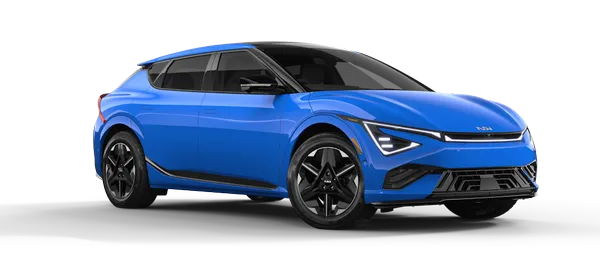
Kia K4: Navigation-based Smart Cruise Control (NSCC): / Navigation-based Smart Cruise Control operation
Contents:
- Operating conditions
- Navigation-based Smart Cruise Control display and control
- Highway Curve Zone Auto Slowdown
Operating conditions
Navigation-based Smart Cruise Control functions in your Kia K4 only when the following conditions are met:
- The standard Smart Cruise Control (SCC) is currently active and operating.
- The vehicle is traveling on a supported highway or main road mapped in the navigation database.
TIP
For more comprehensive information regarding the foundational operation of the cruise system, please refer to the "Smart Cruise Control (SCC)" section of your Kia K4 owner's manual.
Navigation-based Smart Cruise Control display and control
|
When the Navigation-based Smart Cruise Control (NSCC) feature is active in your Kia K4, the instrument cluster provides real-time visual feedback to keep the driver informed of the system's operational status. The following indicators are used to communicate the state of the Kia K4 cruise system:
Navigation-based Smart Cruise Control standby
When the Kia K4 detects that all required operating conditions for NSCC are satisfied, the green () indicator illuminates on your display, signaling that the system is ready to regulate speed based on navigation data.
Navigation-based Smart Cruise Control operating
During active speed control—such as when the Kia K4 automatically adjusts speed for a highway curve—the green () indicator will blink to confirm the system is currently managing your speed.
Navigation-based Smart Cruise Control pause/driver operation
If the NSCC system is temporarily unavailable due to a manual pause, navigation rerouting, or leaving a supported highway, the gray () indicator appears on the Kia K4 instrument cluster. Additionally, if you decide to override the system by engaging the accelerator pedal, a white ( ) indicator will blink, signaling that you have taken manual control of the vehicle's speed.
WARNING
A safety warning message will appear on your Kia K4 cluster if the Navigation-based Smart Cruise Control is unable to reduce your vehicle speed to a safe level for an approaching road hazard or sharp curve.
|
|
Always maintain focus on the road. If the warning appears, immediately apply the brake pedal to ensure the Kia K4 maintains a safe speed.
TIP
Please note that the specific iconography, colors, and layout of these indicators may vary slightly depending on the selected instrument cluster theme or specific hardware configuration of your Kia K4.
Highway Curve Zone Auto Slowdown
The Highway Curve Zone Auto Slowdown feature enhances safety in your Kia K4 by automatically decelerating the vehicle in anticipation of sharp curves ahead on the highway. Once the Kia K4 safely clears the curvature, the system will seamlessly accelerate the vehicle back to the previously set cruise control speed.
TIP
The exact distance at which deceleration begins is calculated dynamically based on your current vehicle speed and the severity of the road curvature. Typically, the higher the speed of your Kia K4, the earlier the system will initiate the deceleration sequence to ensure a smooth transition into the curve.


Other information:
Kia K4 (CL4) 2025-2026 Owner's Manual: Highway Driving Assist (HDA):
Highway Driving Assist The Highway Driving Assist (HDA) system in your Kia K4 is designed to detect lane markings and lead vehicles. It actively assists in maintaining a safe following distance, adhering to your set speed, and centering the Kia K4 within its lane while driving on supported highways.The advanced electronic immobilizer system integrated into your vehicle serves as a primary layer of security, designed to protect your vehicle from unauthorized use and potential theft. This anti-theft configuration relies on an encrypted transponder chip embedded within your official smart key. If an improperly coded key, cloned fob, or any unauthorized bypass device is detected during an ignition sequence, the system immediately cuts off fuel delivery and ignition signals, ensuring that the vehicle's powertrain and electrical power system are completely disabled.