Kia K4: Driver assistance guide / Manual Speed Limit Assist (MSLA)
Contents:
|
|
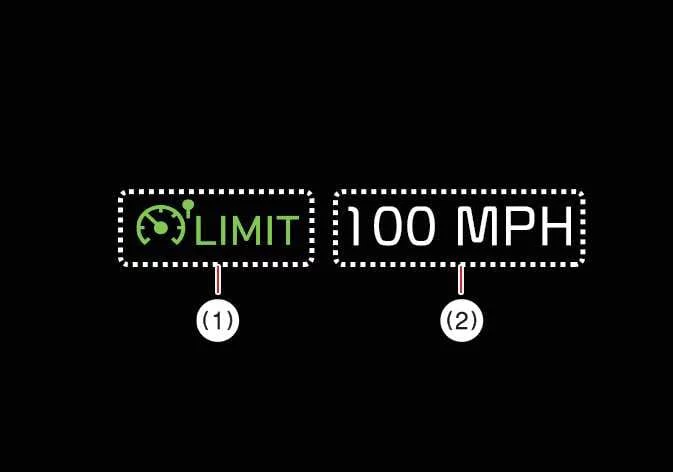
The Manual Speed Limit Assist (MSLA) feature in your Kia K4 allows you to establish a maximum speed limit to prevent the vehicle from inadvertently exceeding your desired pace. If you happen to exceed the preset threshold, the system triggers a warning: the set speed limit flashes on the instrument cluster, and an audible chime sounds until the Kia K4 speed returns within the designated limit.
Manual Speed Limit Assist operation
Setting the speed limit
- Press and hold the Driving Assist button (
 ) while driving at your chosen speed. The Speed Limit indicator (
 ) will appear on the instrument cluster.
- Push the switch up (
 ) or down (
 ) and release to set your desired speed.
Pushing and holding the up (
 ) or down (
 ) switch will adjust the speed to the nearest multiple of 5 mph (10 km/h), after which it will continue to increment or decrement in these intervals.

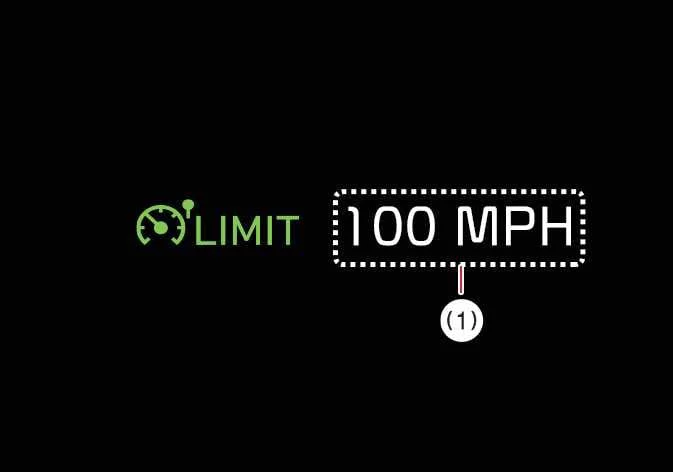
- The Kia K4 instrument cluster will display the newly set speed limit.
If you exceed this speed, the limit blinks and a warning chime sounds to prompt a return to the set limit.
TIP
- The Kia K4 maintains the set speed unless the accelerator pedal is pressed beyond the pressure point.
- Maximum set speeds are subject to specific Kia K4 model configurations and safety regulations.
Temporarily pausing Manual Speed Limit Assist
|
|
Press the pause switch () to temporarily deactivate the set limit. The numerical speed limit will turn off, but the Speed Limit indicator () remains illuminated.
Resuming Manual Speed Limit Assist
|
|
To reactivate the Manual Speed Limit Assist feature in your Kia K4, use the steering wheel switches:
- Pushing the up () or down () switch will set the limit to your current driving speed.
- Pushing the RES switch () will restore the previously stored speed limit.
Turning OFF Manual Speed Limit Assist
|
|
To deactivate the Manual Speed Limit Assist function in your Kia K4, simply press the Driving Assist button (). Upon successful deactivation, the Speed Limit indicator () will disappear from the instrument cluster.
WARNING
Please adhere to the following safety precautions while utilizing the Manual Speed Limit Assist system in your Kia K4:
-
Always calibrate the vehicle speed to remain strictly within the posted speed limits of the road you are traveling on.
-
To prevent accidental activation, ensure the Manual Speed Limit Assist is turned OFF when not actively in use. Always verify that the Speed Limit indicator (
) is extinguished on your Kia K4 display. -
Remember that the Manual Speed Limit Assist is a supplemental tool and does not replace vigilant, manual driving. The driver retains full responsibility for safe vehicle operation, anticipating unexpected traffic changes, and monitoring road conditions in the Kia K4 at all times.