Kia K4: Automatic climate control system / Manual heating and air conditioning (A/C) operation
Contents:
- Mode selection
- Temperature control
- Controlling air intake
- Controlling fan speed
- Air conditioning (A/C)
- Turning off the front air climate control
The heating and cooling system in the Kia K4 provides manual control over the cabin environment, allowing you to bypass the automatic settings. By pressing any of the climate control buttons, you can manually tailor the system to your immediate comfort preferences within your Kia K4.
To manually operate the heating and A/C system in your Kia K4, follow these steps:
- Start the engine of your Kia K4.
- Select the desired operating mode:
-
Heating Mode:

-
Cooling Mode:

-
- Adjust the temperature control to your preferred level.
- Set the air intake control to the external (fresh) air position.
- Choose your desired fan speed intensity and activate the A/C system if active cooling or dehumidification is required.
-
For enhanced comfort, you may activate the air conditioning even when the temperature is set to a higher heat level; this effectively dehumidifies the cabin air, which is particularly useful in cold or damp weather to prevent interior condensation.
If the windshield begins to fog up during your journey, immediately select the front defrost
 mode to clear your view.
Should you wish to return to fully automated comfort management, simply press the AUTO button to switch back to the automatically controlled climate system of your Kia K4.
Mode selection
|
|
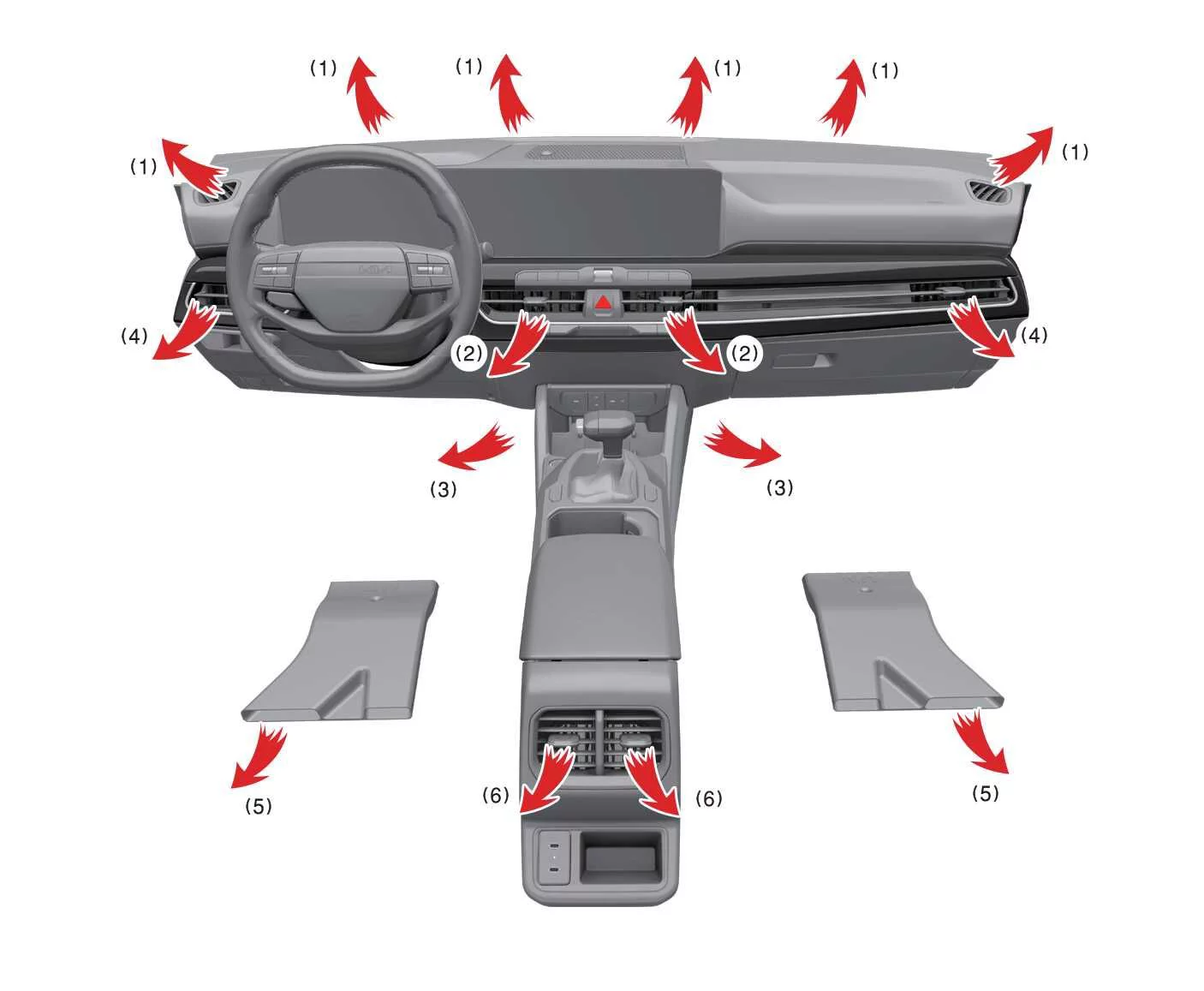
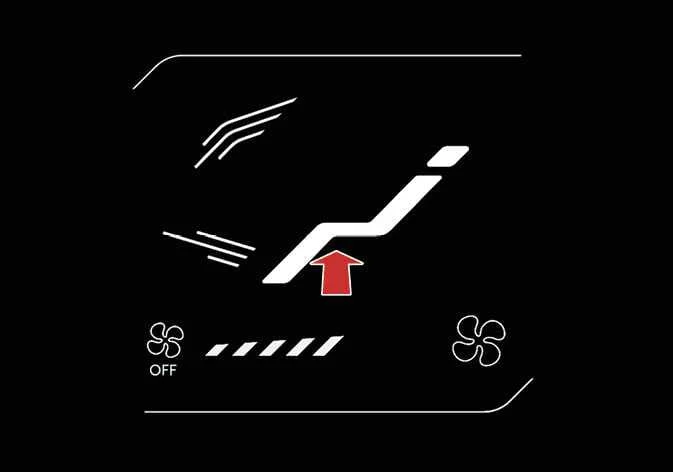
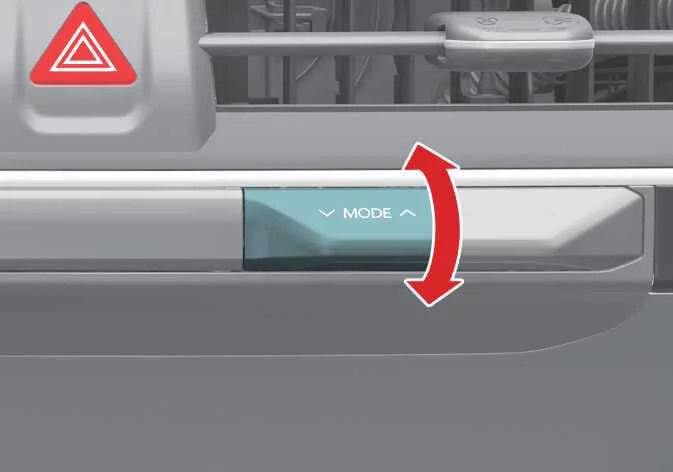
The mode selection lever or icon in your Kia K4 allows you to dictate the precise direction of airflow throughout the cabin.
 Face-Level (2, 4, 6)
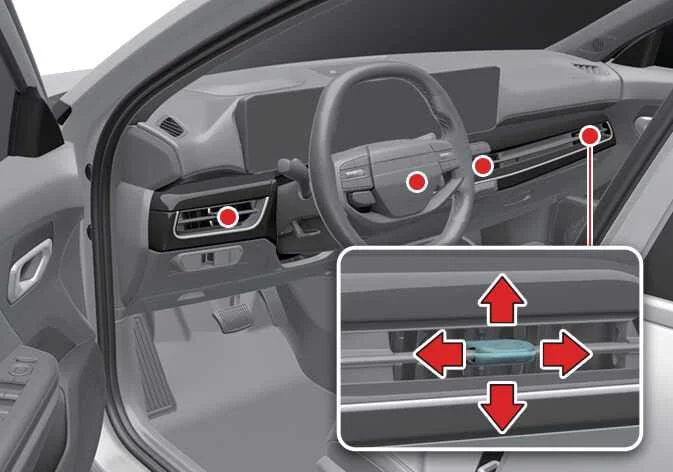
Airflow is directed exclusively toward the upper body and face. You can further refine the direction of the airflow by adjusting each individual vent on the Kia K4 dashboard.
 Bi-Level (2, 3, 4, 5, 6)
Airflow is split between the upper body vents and the floor-level vents for balanced comfort.
 Floor-Level (1, 3, 4, 5)
The majority of the airflow is directed to the floor, with a small secondary stream sent to the windshield, side window defrosters, and side vents for better air circulation.
 Floor/Defrost-Level (1, 3, 4, 5)
Most airflow is directed toward the floor and windshield, with a portion dedicated to side window defrosters.
 Defrost-Level (1, 4)
Most of the airflow is directed to the windshield to expedite clearing, with a small amount directed to the side window defrosters.
Instrument panel vents
|
|
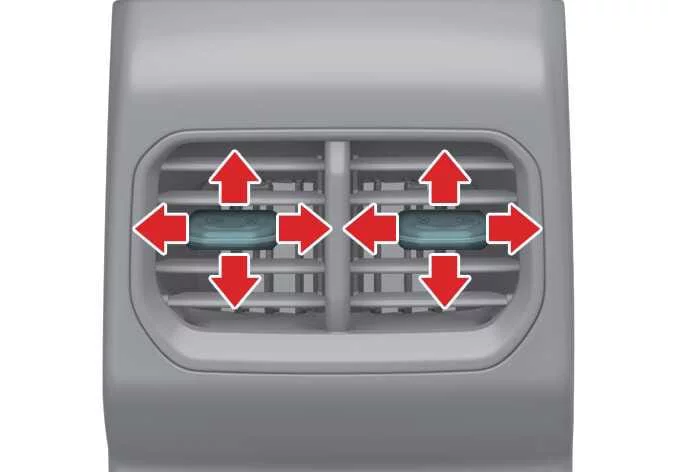
You can easily customize the direction of any vent's airflow by using the integrated vent control lever as illustrated.
Temperature control
|
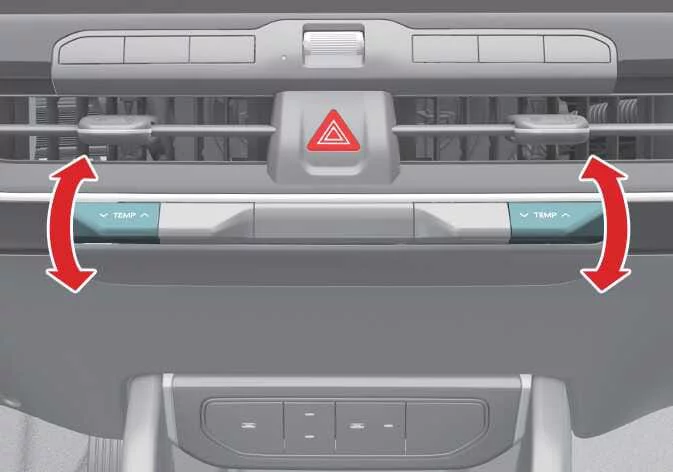
The Kia K4 temperature control lever allows for seamless adjustments: press the lever upward to increase the temperature or downward to decrease it. Please note that when the system is set to its absolute minimum temperature, the A/C compressor will operate continuously for maximum cooling.
Syncing driver and passenger temperature

|
-
To synchronize the climate zones, press the SYNC icon. The passenger temperature will automatically match the driver's setting.
-
Once synchronized, adjusting the driver's side temperature control lever will update both climate zones simultaneously in your Kia K4.
-
If you manually move the passenger side temperature control lever, the SYNC function will deactivate, allowing for independent temperature control.
To adjust the driver and passenger side temperatures individually after they have been linked, simply press the SYNC icon again, and the button indicator will turn off, enabling separate control.
Changing temperature scale
To toggle the temperature display between Celsius (°C) and Fahrenheit (°F) in your Kia K4, press and hold the AUTO icon for at least 3 seconds while simultaneously pressing the OFF icon.
The digital display will switch units accordingly. Please be advised that if the Kia K4 12V battery is disconnected or becomes deeply discharged, the temperature scale will automatically reset to Celsius.
Controlling air intake

|
To adjust the air intake mode in your Kia K4, simply press the corresponding control icon on the climate interface.
Recirculated air intake
In this mode, the air already present inside the Kia K4 cabin is circulated through the heating and cooling system. This is highly effective for cooling the interior rapidly on hot days or preventing external dust, smoke, or unpleasant odors from entering the vehicle.
External air intake
In this mode, fresh air is drawn into the Kia K4 from outside, where it is then filtered, heated, or cooled according to your current settings, ensuring a continuous supply of fresh air during your drive.
Controlling fan speed
|
|
-
Use the designated fan speed control icon or physical lever to set the airflow intensity to your preferred level in the Kia K4.
-
To adjust the fan speed, press the right icon to increase intensity or the left icon to decrease it. Alternatively, push the fan speed control lever upward to increase airflow or downward to decrease it.
-
To turn the Kia K4 fan system off completely, press and hold the left control icon or press and hold the fan speed control lever in the downward position until the system shuts down.
Air conditioning (A/C)
|
|
-
To activate the Kia K4 air conditioning system, press the A/C icon; the indicator light will illuminate to confirm that the compressor is running.
-
To turn the A/C system off, press the icon again, and the indicator light will switch off.
Turning off the front air climate control
|
|
|
-
To power off the entire Kia K4 climate control system, touch and hold the power icon (1) or press and hold the driver's side temperature control lever (2) until the display turns off.
-
You can adjust the airflow mode and air intake settings of your Kia K4 as long as the vehicle's ignition is in the ON position.


Other information:
Kia K4 (CL4) 2025-2026 Owner's Manual: Lane Following Assist (LFA)
The Lane Following Assist (LFA) system is a sophisticated driver-assistance feature designed to enhance your comfort and safety. By utilizing advanced sensor technology, the Kia K4 can actively detect lane markings or the position of a vehicle traveling directly ahead. The system then provides subtle steering support to help keep your Kia K4 centered within its lane, significantly reducing driver fatigue during long journeys or highway driving.Kia K4 (CL4) 2025-2026 Owner's Manual: Intelligent Variable Transmission (IVT)
The Intelligent Variable Transmission (IVT) in your Kia K4 is an advanced gearbox designed to automatically adjust gear ratios in real-time, providing an optimal balance between engine efficiency, fuel economy, and driving performance based on your speed and accelerator pedal input. Engage the brake pedal and the shift lock release button whenever you shift the gear lever.