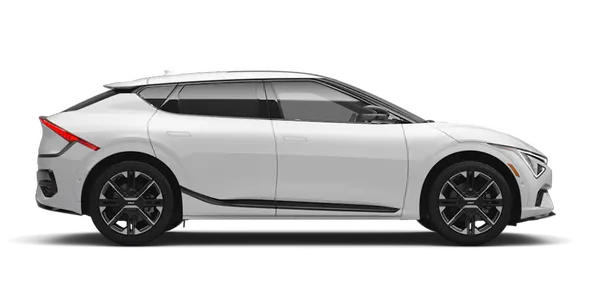
Kia K4: Lane Keeping Assist (LKA) / Lane Keeping Assist settings
Contents:
Lane Safety
|
|
While your Kia K4 is in the "ON" position, you can customize your preferences by tapping: Setup > Vehicle > Driver Assistance > Driving Safety on the infotainment system touchscreen to adjust your Lane Safety configurations.
Lane Safety: When the system detects a potential unintentional lane departure, it will apply corrective steering assistance to help maintain your position within the lane. If the Kia K4 continues to drift, the system will trigger an audible alert and a tactile steering wheel vibration. Please note that if you manually deselect the Lane Safety feature, the corresponding indicator light ( ) will turn OFF.
WARNING
-
Lane Keeping Assist is designed to assist you; however, it does not provide active steering control when you are already driving in the center of the lane.
-
You must always maintain full awareness of your driving environment. If Lane Safety is deselected, you are solely responsible for steering the Kia K4 and maintaining your lane position.
TIP
Pressing the dedicated Lane Driving Assist button ( ) will instantly turn OFF the Lane Keeping Assist system and deactivate the Lane Safety functions.
Warning Methods
|
|
|
To modify the Warning Methods for your Kia K4, ensure the vehicle is ON, then tap: Setup > Vehicle > Driver Assistance > Warning Methods on the infotainment screen. You can adjust the following parameters to suit your driving preferences:
-
Warning Volume: Allows you to customize the loudness of the audible alerts generated by your Kia K4.
-
Haptic Warning: Enables or disables the steering wheel vibration alert feature.
-
Lane Safety Warning Sound: Allows you to independently toggle the Lane Safety audible sound while the Haptic warning feature is active.
-
Driving Safety Priority: An intelligent feature that automatically lowers the volume of other audio sources when the Driving Safety system generates a critical warning.
TIP
-
Your chosen Warning Methods settings may be shared across multiple driver assistance systems in the Kia K4.
-
The Kia K4 will retain your preferred Warning Methods settings even after the vehicle is turned OFF and restarted.
-
Depending on your specific trim level, the Warning Methods menu may vary or may not be available.
-
For safety, Warning Volume and Haptic Warning cannot both be turned off simultaneously; if you attempt to disable one, the other will automatically activate. The Lane Safety Audible Warning can only be muted if both the main Warning Volume and Haptic Warning settings remain active.