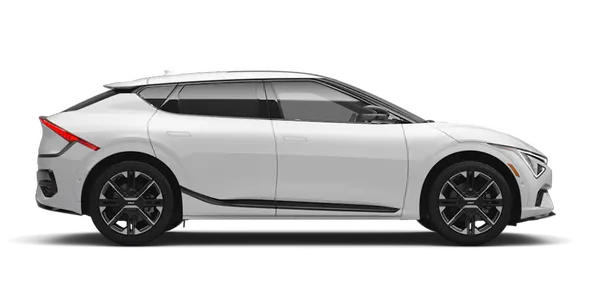
Kia K4: Intelligent Speed Limit Assist (ISLA): / Intelligent Speed Limit Assist operation
Contents:
Warning and control
The Intelligent Speed Limit Assist (ISLA) system in the Kia K4 provides comprehensive driver support through several integrated warnings and control features:
-
Displaying the speed limit: Real-time visualization of the current road speed restriction.
-
Speeding warning: Visual alerts when your Kia K4 exceeds the detected limit.
-
Changing the set speed: Guidance for adjusting vehicle speed settings based on changing limits.
-
Auto set speed change: Automated adjustments to maintain compliance with posted limits.
TIP
To ensure the most accurate warnings and control, the Kia K4 Intelligent Speed Limit Assist functions optimally when the system Offset is set to "0". For details on adjusting your Offset preferences, refer to the Intelligent Speed Limit Assist (ISLA) configuration section.
Displaying the speed limit
|
The instrument cluster in your Kia K4 conveniently displays current speed limit information, sourced from both road sign recognition and navigation data.
TIP
-
If the Intelligent Speed Limit Assist in your Kia K4 cannot confidently identify a speed limit, the cluster will display '---'. If this occurs frequently, please consult the "Intelligent Speed Limit Assist malfunction and limitations" section.
-
Beyond speed limits, the Kia K4 can provide additional road sign information (such as passing restrictions). Availability may vary based on your specific region.
-
Visual presentation, including icon colors and layout, may differ based on your selected Kia K4 instrument cluster theme.
Speeding warning
|
|
Should your Kia K4 exceed the detected speed limit, a red speed limit indicator will appear on your cluster to provide a clear, immediate warning to adjust your speed.
Changing the set speed
|
|
|
If the speed limit changes while using Manual Speed Limit Assist or Smart Cruise Control, the Kia K4 will display an arrow indicating the need to adjust your speed. You can easily update your set speed using the up ( ) or down (
 ) steering wheel switches.
Auto set speed change (if equipped with navigation)
|
|
For enhanced convenience, the Kia K4 can automatically adjust your cruise control or manual limit speed to match detected limits. This feature operates on roads with limits exceeding 45 mph (70 km/h) and displays the set speed in green when active.
TIP
-
To drive below the speed limit in your Kia K4, set your offset below "0" or manually decrease the speed using the (
) switch. -
Even with auto-adjustment active, you retain full control and can accelerate beyond the limit; use the brake pedal to slow the Kia K4 if necessary.
-
Note that auto-speed changes are not supported on roads with limits under 20 mph (30 km/h).
-
Always ensure your Kia K4 speed units (mph/km/h) match the local standards of your current location to ensure system accuracy.
TIP
-
For more details on the core operation of these systems, please refer to the "Manual Speed Limit Assist (MSLA)" and "Smart Cruise Control (SCC)" sections of your Kia K4 owner's manual.


Other information:
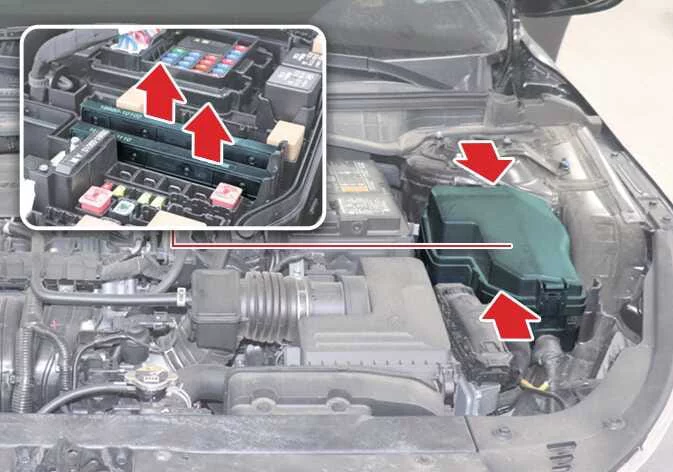
Kia K4 (CL4) 2025-2026 Owner's Manual: Engine compartment fuse replacement
For fuses located within the engine compartment fuse panel of your Kia K4, follow these maintenance steps: Verify that the ENGINE START/STOP button and all vehicle systems are in the OFF position. Open the engine compartment and remove the fuse panel cover by depressing the retaining tabs and lifting the cover upward. Use the integrated fuse puller located inside the engine compartment fuse panel to extract the suspected fuse.Kia K4 (CL4) 2025-2026 Owner's Manual: Parking Distance Warning (PDW):
The Forward, Side, and Reverse Parking Distance Warning (PDW) system in your Kia K4 utilizes sophisticated front, side, and rear ultrasonic sensors. This system is engineered to detect and alert you if a person, animal, or object enters a specific proximity zone while your Kia K4 is either stationary or moving at low speeds, providing added confidence during parking maneuvers.