Kia K4: Forward Collision-Avoidance Assist (FCA) (Sensor Fusion) / Forward Collision-Avoidance Assist settings
Contents:
- Forward Safety
- Forward Cross-Traffic Safety:
- Forward/Side Safety:
- Forward Safety Warning Timing
- Warning Methods
The Kia K4 is equipped with a sophisticated suite of safety features designed to enhance driver awareness and protection. You can easily manage and customize the settings for the Forward Collision-Avoidance Assist (FCA) system directly through your infotainment interface. Follow the instructions below to configure these critical safety parameters for your Kia K4.
Forward Safety
|
|
While the vehicle is powered ON, navigate to Setup > Vehicle > Driver Assistance > Driving Safety on your infotainment screen to adjust the Forward Collision-Avoidance Assist settings. Enabling "Forward Safety" ensures that the Kia K4 can provide collision warnings or intervene with emergency braking when a critical collision-imminent situation is detected. If you choose to deselect this setting, Forward Safety features will be deactivated, and the Forward Safety warning light ( ) will illuminate on the instrument cluster to alert the driver.
Forward Cross-Traffic Safety:
|
|
|
For vehicles equipped with this feature, ensure the Kia K4 is powered ON and access Setup > Vehicle > Driver Assistance > Driving Safety > Forward Cross-Traffic Safety on the infotainment system. This menu allows you to manage the sensitivity and operational state of the Junction Crossing function, which is designed to help prevent accidents at intersections.
Forward/Side Safety:
|
|
|
To configure advanced side-collision protection, navigate to Setup > Vehicle > Driver Assistance > Driving Safety > Forward/Side Safety. When enabled, this function provides collision warnings or emergency steering assistance to help keep your Kia K4 safe in complex traffic scenarios. If this setting is disabled, the emergency steering system will turn off, and the Emergency Steering warning light () will display on the cluster.
You can verify the current status of all Forward Collision-Avoidance Assist settings at any time within the Settings menu of the Kia K4 infotainment screen. Should the Forward Safety warning light ( ) or the Emergency steering warning light (
 ) remain illuminated even when the respective safety functions are selected, please have your Kia K4 inspected immediately by an authorized Kia dealer to ensure the integrity of your safety systems.
TIP
Even when Forward Safety systems are active in your Kia K4, the driver maintains primary responsibility for remaining alert and in full control of the vehicle. These systems serve as supplemental assistants; if Forward Safety is turned OFF, the vehicle will be unable to provide these crucial collision-mitigation interventions.
CAUTION
The steering wheel vibration feedback associated with these safety features can be customized (toggled ON or OFF) within the settings menu.
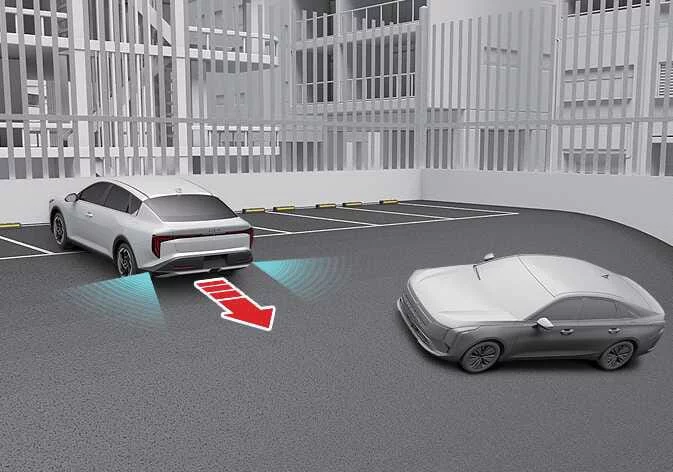
The "Forward Safety" category includes the “Basic,� “Junction Turning,� and “Direct Oncoming� functions. The “Forward Cross-Traffic Safety� category governs the “Junction Crossing� function, while “Forward/Side Safety� encompasses the “Lane Change Oncoming,� “Lane Change Side,� and “Evasive Steering Assist� functions.
Please be aware that if the main “Forward Safety� setting is set to OFF, the “Junction Crossing� function will not operate, even if Forward Cross-Traffic Safety and Forward/Side Safety are individually selected as active in your Kia K4.
Forward Safety Warning Timing
|
|
|
While your Kia K4 is powered ON, you can easily customize the responsiveness of your safety suite. Tap Setup > Vehicle > Driver Assistance > Driving Safety > Forward Safety Warning Timing on the infotainment system screen to adjust when the Forward Collision-Avoidance Assist alerts you to potential hazards.
-
Standard: We recommend using the "Standard" setting for most normal driving conditions. If you find the alerts activate too frequently or feel overly sensitive, you may adjust this setting to "Late."
-
Late: When "Late" is selected, the Forward Collision-Avoidance Assist system will trigger its warning signals closer to the point of a potential collision, allowing for a more relaxed driving experience in specific environments.
CAUTION
-
Even with "Standard" timing enabled, the warning may appear brief or arrive late if the vehicle ahead decelerates suddenly or stops abruptly.
-
It is generally advisable to select "Late" Warning Timing only when driving at lower speeds in light, predictable traffic conditions.
TIP
-
Please note that "Forward/Side Safety" settings do not feature a separate warning timing configuration.
-
Your chosen warning timing preference is stored in the system's memory and will not reset, even after you turn off and restart your Kia K4.
Warning Methods
|
|
|
To personalize how your Kia K4 communicates safety alerts, navigate to Setup > Vehicle > Driver Assistance > Warning Methods while the vehicle is ON. From this menu, you can fine-tune several auditory and tactile alerts to suit your driving preferences:
-
Warning Volume: This allows you to adjust the intensity of the audio warning. Please note that even if you set this to its lowest level, the system may still emit a low-volume alert during a critical event to ensure your safety.
-
Haptic Warning: When enabled, this feature triggers a physical vibration in the steering wheel, providing a tactile alert in addition to audible signals.
-
Driving Safety Priority: Enabling this feature ensures that all other infotainment audio sources, such as music or navigation guidance, are momentarily lowered in volume whenever the Driving Safety system issues an urgent warning.
TIP
-
These customized Warning Methods settings may also apply to other driver assistance systems integrated into your Kia K4.
-
Your preference settings are automatically saved and maintained when you turn the vehicle OFF and restart your journey.
-
Depending on your specific Kia K4 software version and equipment level, the Warning Methods menu may not be available on all vehicles.
-
To ensure you never miss a critical safety alert, the Warning Volume and Haptic Warning cannot both be set to OFF simultaneously. If you deactivate one, the other will automatically activate.


Other information:
Kia K4 (CL4) 2025-2026 Owner's Manual: Tires and wheels
For consistent vehicle performance, long-term safety, and optimal fuel economy, it is essential that you always maintain the recommended tire pressures and operate the Kia K4 within the specified load limits and weight distribution guidelines. Recommended cold tire inflation pressures For the most accurate readings, check all tire pressures while the tires are "cold.Kia K4 (CL4) 2025-2026 Owner's Manual: How to use the Digital Key 2 (Card key)
Card Key Proximity and Touch Control Protocols The sleek, credit-card-sized physical NFC credential offers an exceptionally secure and lightweight alternative to traditional key fobs. The driver can effortlessly lock and unlock the passenger cabin by tapping the active card key surface against the integrated touch sensor located on the exterior door handle.