
Kia EV6: Surround View Monitor (SVM): (if equipped) / Surround View Monitor operation
Kia EV6 2022-2026 Owner's Manual / Driver assistance system / Surround View Monitor (SVM): (if equipped) / Surround View Monitor operation
Contents:
Parking/View button
|
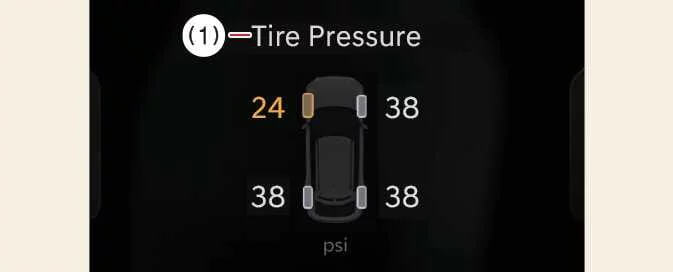
To turn the Kia EV6 Rear View Monitor ON, press the Parking/View button (1).
To turn the Rear View Monitor OFF, press the Parking/View button (1) again.
Front view
|
|
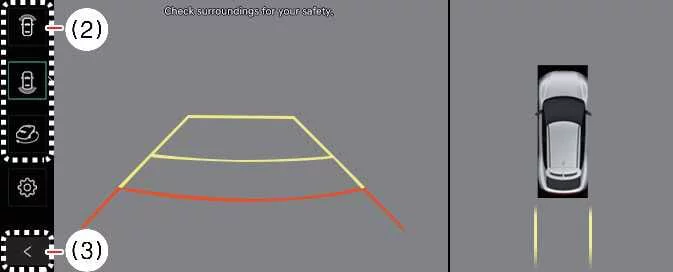
The Kia EV6 front view function displays the area in front of the vehicle on the infotainment screen according to the selected camera settings, helping improve visibility and assisting with safer parking and maneuvering.


Other information:
Kia EV6 2022-2026 Owner's Manual: ECO mode
ECO mode in the Kia EV6 is designed to maximize electric driving efficiency by reducing energy consumption and minimizing driving behaviors that may negatively affect battery range. The overall electric energy efficiency of the Kia EV6 can vary depending on driving habits, traffic conditions, terrain, climate settings, and road surfaces.Kia EV6 2022-2026 Owner's Manual: Vehicle stability management (VSM) operation
When the VSM system is actively operating, the ESC indicator light ( ) blinks on the instrument cluster. While the Vehicle Stability Management system is functioning properly, the driver may occasionally notice slight steering corrections, mild pulsation through the vehicle chassis, or subtle steering wheel feedback from the Motor Driven Power Steering (MDPS) system.
Contents
Categories
- Manuals Home
- Kia EV6 Owners Manual
- Questions & Answers
- Video Guides
- Useful Resources
- New on site
- Most important about Kia EV6
- Privacy Policy

Copyright В© 2026 Kia EV6 Manuals вЏ± 0.0044