
Kia EV6: Reverse Parking Collision-Avoidance Assist (PCA): (if equipped) / Reverse Parking Collision-Avoidance Assist settings
Contents:
Parking Safety
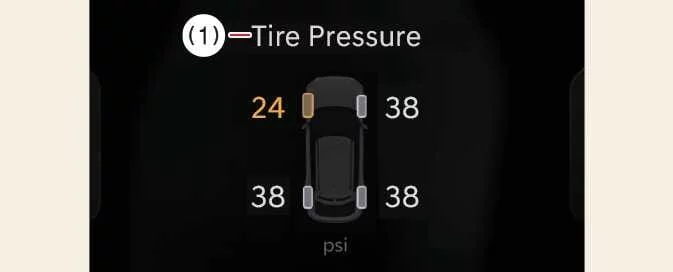
|
|
While the Kia EV6 is in the DRIVE READY state, select Setup > Vehicle > Driver Assistance > Parking Safety through the infotainment system.
-
Backward Safety: Enables warnings and braking intervention when the system determines that a collision with a pedestrian, vehicle, wall, or other object behind the Kia EV6 is likely while reversing.
CAUTION
When a genuine Kia Trailer Kit is installed and connected to the vehicle, Parking Collision-Avoidance Assist is automatically deactivated. Under these circumstances, the Kia EV6 cannot provide assistance through PCA. Always exercise additional caution while reversing with a connected trailer. The genuine Kia trailer system is capable of detecting when a trailer is attached.
NOTE
The Backward Safety setting remains selected and the Parking Collision-Avoidance Assist preferences are automatically retained whenever the Kia EV6 is restarted.
Warning Methods
|
|
|
The Warning Methods menu can be configured while the vehicle is powered on. Select Setup >
Vehicle > Driver Assistance >  (Warning
Methods)
from the infotainment settings screen to customize the following options:
(Warning
Methods)
from the infotainment settings screen to customize the following options:
-
Warning Volume: Allows adjustment of the audible warning level. Even when set to OFF, the Kia EV6 may still emit low-level safety alerts when required.
-
Haptic Warning: Activates steering wheel vibration alerts to provide additional driver feedback.
TIP
-
The selected Warning Methods may also influence other driver-assistance systems available in the Kia EV6.
-
Configured settings are preserved after the vehicle is switched off and restarted.
-
Depending on vehicle specification and software version, some menu items may not be available.
-
The Warning Volume and Haptic Warning functions cannot both be disabled simultaneously. If one warning type is turned off, the other will automatically remain active.


Other information:
Kia EV6 2022-2026 Owner's Manual: Special driving conditions
During poor weather, slippery roads, or difficult driving environments, the Kia EV6 should always be operated with increased caution, reduced speed, and greater attention than under normal driving conditions. Hazardous driving conditions When driving the Kia EV6 through water, snow, ice, mud, sand, gravel, or other hazardous road conditions, follow these important driving recommendations to improve safety and maintain vehicle stability: Drive carefully and always leave additional braking distance between the Kia EV6 and surrounding vehicles.The Kia EV6 can be charged using an AC charger installed at home or at public AC charging stations. AC charging is commonly used for overnight charging and routine daily charging sessions. For additional details regarding AC charging procedures, charging times, and connector information, refer to the AC charging section of the Kia EV6 manual.
Contents
Categories
- Manuals Home
- Kia EV6 Owners Manual
- Questions & Answers
- Video Guides
- Useful Resources
- New on site
- Most important about Kia EV6
- Privacy Policy
