
Kia EV6: Remote Smart Parking Assist 2 (RSPA 2): (if equipped) / Remote Smart Parking Assist settings
Contents:
Warning Methods

|
|
The Warning Methods menu can be configured while the vehicle is powered on. Select Setup >
Vehicle > Driver Assistance >  (Warning
Methods) within the infotainment system to adjust the available warning preferences.
(Warning
Methods) within the infotainment system to adjust the available warning preferences.
-
Warning Volume: Adjusts the volume level of audible alerts. Even if the setting is reduced or turned off, the Kia EV6 may still provide essential safety warnings at a lower volume when required.
CAUTION
When a trailer connector is connected to the Kia EV6, Remote Smart Parking Assist automatically deactivates. Under these circumstances, parking assistance functions cannot be used. Exercise additional caution while maneuvering the vehicle when the system is unavailable. (Applicable when using a genuine Kia Trailer Kit capable of trailer recognition.)
TIP
-
Your selected Warning Methods settings may also influence other driver-assistance features available in the Kia EV6.
-
Warning preferences are stored and restored automatically after the vehicle is turned off and restarted.
-
Some Warning Methods menu options may vary depending on vehicle specification, software version, or market availability.


Other information:
The Rear View Monitor image remains active when the following conditions are satisfied: The gear is shifted from R (Reverse) to N (Neutral) or D (Drive). The Kia EV6 speed remains below approximately 6 mph (10 km/h). Non-operating conditions The Extended Rear View Monitor turns OFF under the following conditions: The gear is shifted to P (Park).The Kia EV6 is powered by an advanced high-voltage battery system and electric drive motor rather than a traditional internal combustion engine. Unlike gasoline-powered vehicles, electric vehicles use electrical energy stored within the high-voltage battery pack to propel the vehicle efficiently and quietly. Because the Kia EV6 operates entirely on electric power, it does not require gasoline and produces no tailpipe emissions during driving, helping reduce environmental impact while delivering smooth acceleration and responsive performance.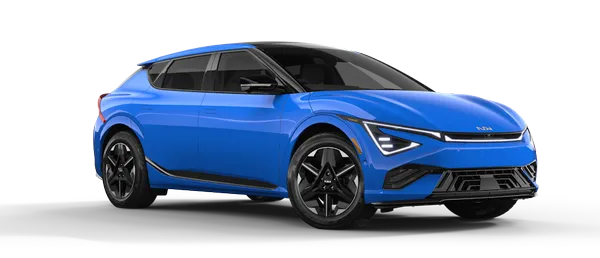
Contents
Categories
- Manuals Home
- Kia EV6 Owners Manual
- Questions & Answers
- Video Guides
- Useful Resources
- New on site
- Most important about Kia EV6
- Privacy Policy
