
Kia EV6: Remote Smart Parking Assist 2 (RSPA 2): (if equipped) / Remote Smart Parking Assist operation
Contents:
Parking/View button
|
Parking/View button |
Smart key |
Digital key |
|---|---|---|
|
|
|
|
Location |
Name |
Symbol |
Description |
|---|---|---|---|
|
Inside vehicle |
Parking/View button |
|
|
|
Smart key |
Remote Start button |
|
|
|
Forward button |
|
|
|
|
Backward button |
|
||
|
Digital key: (if equipped) |
Remote Smart Parking button |
|
|
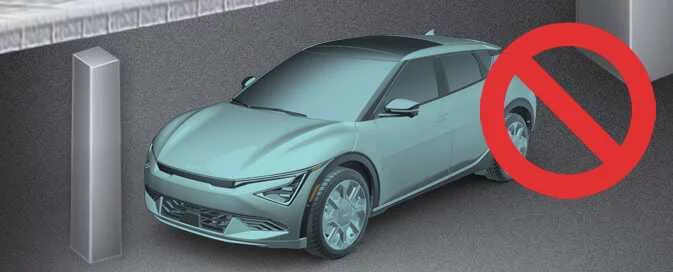


Remote Operation
Operating order
The Remote Operation feature of the Kia EV6 follows a simple two-step process that allows the vehicle to be moved remotely using the smart key while maintaining safety and vehicle control.
-
Preparing the Kia EV6 for remote forward or backward movement.
-
Remotely moving the vehicle forward or backward.
1. Getting ready to remotely move forward and backward
There are two different methods available for activating the Remote Operation function of Remote Smart Parking Assist 2.


Other information:
Kia EV6 2022-2026 Owner's Manual: Next departure
The Next Departure feature in the Kia EV6 allows drivers to schedule charging sessions and pre-set cabin climate temperatures before departure.Kia EV6 2022-2026 Owner's Manual: If You Have a Flat Tire (with Tire Mobility Kit)
The Tire Mobility Kit (TMK) supplied with the Kia EV6 is intended as a temporary emergency repair solution. Following use of the kit, the damaged tire should be professionally inspected, repaired, or replaced by an authorized Kia dealer as soon as possible. Compressor Sealant bottle Before using the Tire Mobility Kit on your Kia EV6, carefully read all instructions and safety information contained in this section to ensure proper operation and maximum effectiveness.
Contents
Categories
- Manuals Home
- Kia EV6 Owners Manual
- Questions & Answers
- Video Guides
- Useful Resources
- New on site
- Most important about Kia EV6
- Privacy Policy
