
Kia EV6: Rear View Monitor (RVM): (if equipped) / Rear View Monitor operation
Kia EV6 2022-2026 Owner's Manual / Driver assistance system / Rear View Monitor (RVM): (if equipped) / Rear View Monitor operation
Contents:
Parking/View button
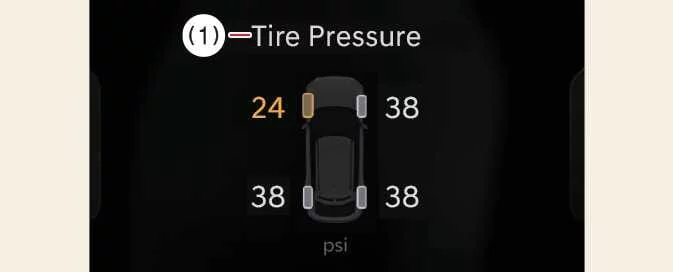
|
Press the Parking/View button (1) while the Kia EV6 gear selector is in P (Park), D (Drive), or N (Neutral) to turn the Rear View Monitor ON or OFF.
Rear view
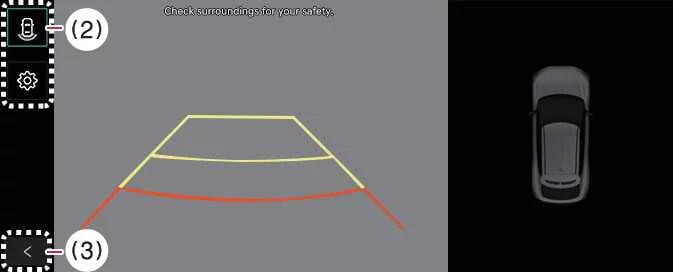
|
|


Other information:
Kia EV6 2022-2026 Owner's Manual: Front seat adjustment for manual seat: (if equipped)
Forward/backward seat adjustment Seat cushion height adjustment Seatback recline angle adjustment Use the manual adjustment levers located on the outer side of the Kia EV6 seat cushion to adjust the front seat position. Proper seat adjustment improves driving comfort, visibility, and control of the Kia EV6 steering wheel, pedals, and dashboard controls.Kia EV6 2022-2026 Owner's Manual: Parking Distance Warning (PDW): (if equipped)
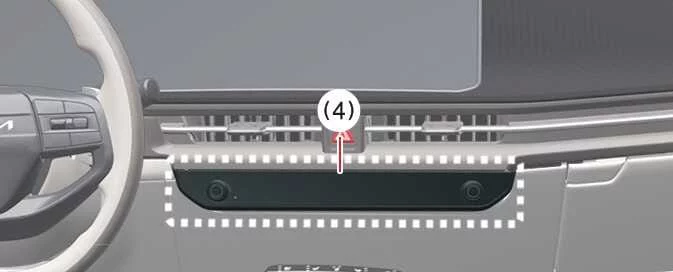
The Kia EV6 Forward, Side, and Reverse Parking Distance Warning system uses ultrasonic sensors located around the vehicle to detect nearby people, animals, or objects while the vehicle is stationary or moving at low speed. This advanced Kia EV6 parking assistance technology helps improve parking precision and driver awareness in tight spaces, garages, and crowded urban environments.
Contents
Categories
- Manuals Home
- Kia EV6 Owners Manual
- Questions & Answers
- Video Guides
- Useful Resources
- New on site
- Most important about Kia EV6
- Privacy Policy

Copyright В© 2026 Kia EV6 Manuals вЏ± 0.0043