
Kia EV6: Parking Distance Warning (PDW): (if equipped) / Parking Distance Warning settings
Contents:
Warning Methods
|
|
The Warning Methods menu in the Kia EV6 allows the driver to customize how parking and driver assistance
notifications are delivered. These settings can be adjusted while the vehicle is powered ON. To access the menu,
select Setup > Vehicle > Driver Assistance >  (Warning Methods) within the infotainment system settings.
The Kia EV6 Warning Methods menu allows adjustment of the following options:
-
Warning Volume: Adjusts the loudness of warning sounds generated by the Kia EV6 parking assistance and driver safety systems.
TIP
-
The selected Warning Methods settings in the Kia EV6 may also affect the warning behavior of other advanced driver assistance systems.
-
Warning Methods settings remain saved even after the Kia EV6 is turned OFF and restarted.
-
Depending on vehicle specification, trim level, or regional software configuration, the Warning Methods menu may not be available on every Kia EV6 model.
Parking Distance Warning Auto On
The Kia EV6 Parking Distance Warning Auto On feature can automatically activate parking assistance functions while driving at low speeds. This helps improve convenience and awareness when maneuvering in tight parking areas or crowded urban environments.
To activate the Kia EV6 Parking Distance Warning Auto On function, tap Setup > Vehicle > Driver Assistance > Parking Safety > Parking Distance Warning Auto On on the infotainment display.
CAUTION
When a genuine Kia Trailer Kit is connected to the Kia EV6, Reverse Parking Distance Warning automatically turns OFF. In this situation, parking assistance support will not be available, and the driver must pay extra attention while reversing or maneuvering the vehicle. The Kia genuine Trailer Kit can automatically determine when a trailer is attached.
NOTE
When Parking Distance Warning Auto On is enabled, the Parking Safety button indicator ()
remains illuminated.


Other information:
Kia EV6 2022-2026 Owner's Manual: Remote Smart Parking Assist check
Check Parking Assist Visit a nearby service center. If Remote Smart Parking Assist in the Kia EV6 is not functioning correctly, a Check Parking Assist warning message will appear on the infotainment display. When this message is shown, discontinue use of the system and have the vehicle inspected by an authorized Kia dealer or qualified service facility.Towing Service Wheel dollies If the Kia EV6 requires towing, the procedure should be performed by an authorized Kia dealer or a professional towing service equipped to handle electric vehicles. Following the correct lifting and transportation procedures is essential to prevent damage to the electric powertrain, suspension, battery system, and drivetrain components.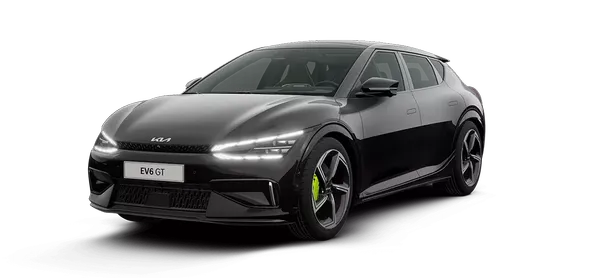
Contents
Categories
- Manuals Home
- Kia EV6 Owners Manual
- Questions & Answers
- Video Guides
- Useful Resources
- New on site
- Most important about Kia EV6
- Privacy Policy
