
Kia EV6: Driver assistance system / Operating conditions
Contents:
The Rear View Monitor image remains active when the following conditions are satisfied:
-
The gear is shifted from R (Reverse) to N (Neutral) or D (Drive).
-
The Kia EV6 speed remains below approximately 6 mph (10 km/h).
Non-operating conditions
The Extended Rear View Monitor turns OFF under the following conditions:
-
The gear is shifted to P (Park).
-
The Parking/View button (1) is pressed.
-
The back button (3) is pressed on the Rear View Monitor screen.
-
An infotainment operation button (4) is pressed.
-
The Kia EV6 speed exceeds 6 mph (10 km/h).
Rear Top View
|
|
The Rear Top View displays a top-down image of the Kia EV6 to help determine the available parking space and the distance between your vehicle and nearby vehicles or obstacles.
To activate Rear Top View, press the Rear Top View button.
NOTE
-
In all display modes, the video image remains active while the Kia EV6 is in R (Reverse).
-
When the rear monitor is activated, the most recently used view mode is displayed automatically.
-
Rear parking guidelines are displayed in rear view and rear top view modes. Select Setup > Vehicle > Driver Assistance > Parking Safety > Camera Settings > Display Information > Rear Parking Guidelines in the infotainment settings menu to display these guidelines. However, rear parking guidelines are not displayed in rear view while driving.
-
Even if the Kia EV6 speed drops below 10 km/h, the front view remains active when the front camera view is already enabled during driving.
-
If the rear driving view is enabled while driving, the Rear Top View function is automatically deactivated.
Rear View Monitor malfunction and limitations
Rear View Monitor malfunction
If there is a problem with the Kia EV6 Rear View Monitor system, the monitor may display a green, blue, or black screen instead of the normal camera image.
If the Rear View Monitor does not operate correctly, the display flickers, or the camera image is distorted, blurred, delayed, or does not appear properly, have the Kia EV6 inspected by an authorized Kia dealer or qualified service center.
Limitations of Rear View Monitor
When the Kia EV6 remains parked for an extended period during winter weather or inside enclosed parking facilities, temporary condensation or moisture may form on the camera lens, causing the rear image to appear blurred or unclear for a short period of time.
Under the following conditions, abnormal or distorted images may appear on the Rear View Monitor display.
-
When the liftgate is open or not fully secured.
WARNING
-
The Kia EV6 rear view camera does not provide complete visibility of the entire area behind the vehicle. Before reversing or parking, always directly check the surrounding area using both the inside rearview mirror and outside mirrors for maximum safety.
-
Rear View Monitor images may display objects at a different distance than they actually appear because of image correction and wide-angle camera processing. In addition, rear parking guidelines may not display accurately if the Kia EV6 is tilted due to heavy cargo or uneven ground. Always visually confirm your surroundings before maneuvering.
-
Always keep the Kia EV6 rear camera lens clean and free from dirt, snow, water droplets, mud, or foreign material. Contamination on the lens may reduce image quality or interfere with proper operation of the Rear View Monitor system. Avoid using strong chemical cleaners, highly alkaline detergents, gasoline, acetone, or volatile solvents because these products may damage the camera lens surface.
-
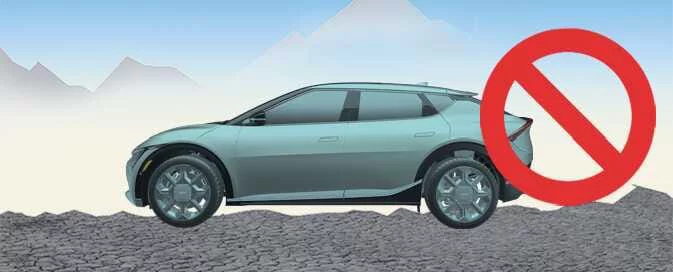
Driving the Kia EV6 with the liftgate open is not recommended. If driving with the liftgate open is unavoidable, exercise extreme caution and continuously monitor the surrounding environment.


Other information:
Kia EV6 2022-2026 Owner's Manual: Remote Smart Parking Assist check
Check Parking Assist Visit a nearby service center. If Remote Smart Parking Assist in the Kia EV6 is not functioning correctly, a Check Parking Assist warning message will appear on the infotainment display. When this message is shown, discontinue use of the system and have the vehicle inspected by an authorized Kia dealer or qualified service facility.When driving the Kia EV6 in deep snow or on icy roads, it may be necessary to equip the vehicle with winter tires or approved snow chains for additional traction. If winter tires are installed, they should match the original tire size, load rating, and tire type specified for the Kia EV6. Using incorrect tire specifications may negatively affect vehicle handling, braking stability, and overall driving safety.
Contents
Categories
- Manuals Home
- Kia EV6 Owners Manual
- Questions & Answers
- Video Guides
- Useful Resources
- New on site
- Most important about Kia EV6
- Privacy Policy
