
Kia EV6: LCD display / LCD display modes
Contents:
|
View |
Description |
|---|---|
|
Driving Assist view |
Displays information related to Kia EV6 driver assistance and safety systems. |
|
Navigation view |
Displays navigation guidance, route information, and map-related details. |
|
Utility information view |
Displays driving information, warnings, energy economy data, and additional vehicle status information. |
NOTE
-
The available LCD display items and menus may vary depending on the Kia EV6 trim level, equipment package, software version, and regional specifications.
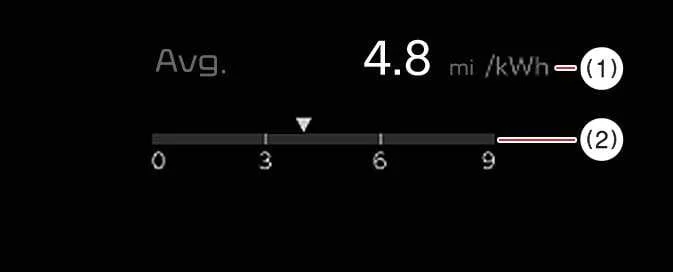
Energy economy
|
-
Average energy economy
-
Instant energy economy


Other information:
Kia EV6 2022-2026 Owner's Manual: Main electric vehicle components
OBC: Converts AC charging power into DC power in order to charge the high-voltage battery of the Kia EV6 efficiently. Inverter: Converts direct current (DC) into alternating current (AC) to power the electric motor and also converts AC back into DC when charging the high-voltage battery. LDC: Converts high-voltage battery power into low-voltage 12V electricity to supply power to standard vehicle electrical systems (DC-DC converter).The front view camera of the Kia EV6 is used as the primary detection sensor for the High Beam Assist system. The camera continuously monitors surrounding brightness, approaching vehicles, taillights, and road lighting conditions while driving. Please refer to the Detecting sensor(s) section for additional details regarding applicable sensors and installation locations.
Contents
Categories
- Manuals Home
- Kia EV6 Owners Manual
- Questions & Answers
- Video Guides
- Useful Resources
- New on site
- Most important about Kia EV6
- Privacy Policy

Copyright В© 2026 Kia EV6 Manuals вЏ± 0.007